

⚠ BREAKING CHANGES
Islands configuration has been reworked, islands are now created by specifying a widget that will act as the separator and adding/positioning them around other widgets. Previously configured islands need to be recreated using the new method.
Features
Create widget islands using another widget as the separator
System tray icons custom cell width/height
Added Russian translation
Creation of widget islands is now easier! 🎉
Now you can create them by dragging a separator widget in the panel. By default, Plasma's panel spacer will be used to create islands if found.
By default, everything on the left/right of spacers will (try to) become a island, but two separators per island can be enforced in the widget settings.
I have also released two new widgets that can be used as island separators:
Panel Colorizer Islands Separator separator that is only visible while in Edit Mode
Advanced separator customizable separator that is always visible
 Custom System Tray cell width
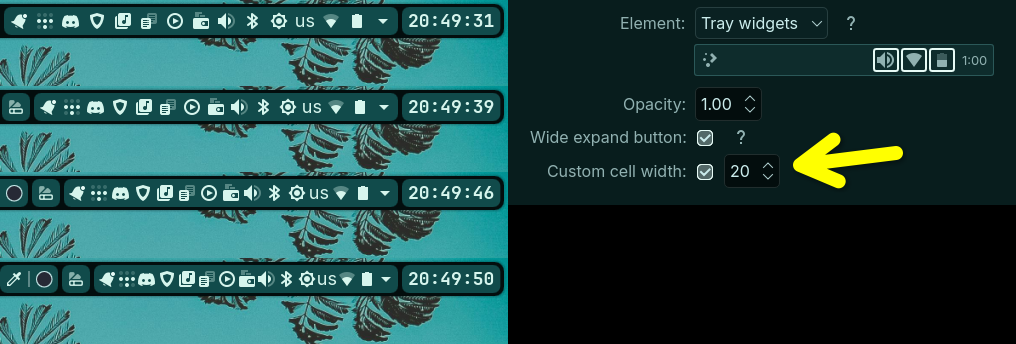
Added an option to change the spacing between system tray icons, overrides Plasma's small, normal, large system tray icons spacing setting
Appearance > Select Tray Widgets Element > Custom Cell width
 Download