

v1.4.2 Click-Through Mode
You can now lock the lyrics overlay in place and prevent it from interfering with mouse clicks, while keeping your synchronized lyrics visible on screen.
Here's how it works:
Lock Your Overlay: Hover over the application to reveal a subtle lock icon in the top-left corner. Click it to enable Lock Mode.
Click-Through Mode: Once locked, the overlay stays in its compact appearance, allowing mouse clicks to pass through it without interrupting your game or other applications.
Unlock Anytime: Hover over the lock icon and click it again to unlock, reposition, or adjust the overlay.
Custom Keyboard Shortcut: Set your own lock/unlock shortcut in Settings → General. No shortcut is assigned by default.
Version 1.4.0 and Later
The following features were introduced in v1.4.0 and remain available in all subsequent 1.4.x releases, including v1.4.2.
A More Personal FrontLine Lyrics
This update is all about customization and visual improvements, giving you more ways to make FrontLine Lyrics look and feel the way you want.
From new themes and font customization to a more organized settings interface, this release focuses on making your experience more personal and visually appealing.
Here's what's new!
More Ways to Customize Your Lyrics
You now have more control over the appearance of your synchronized lyrics.
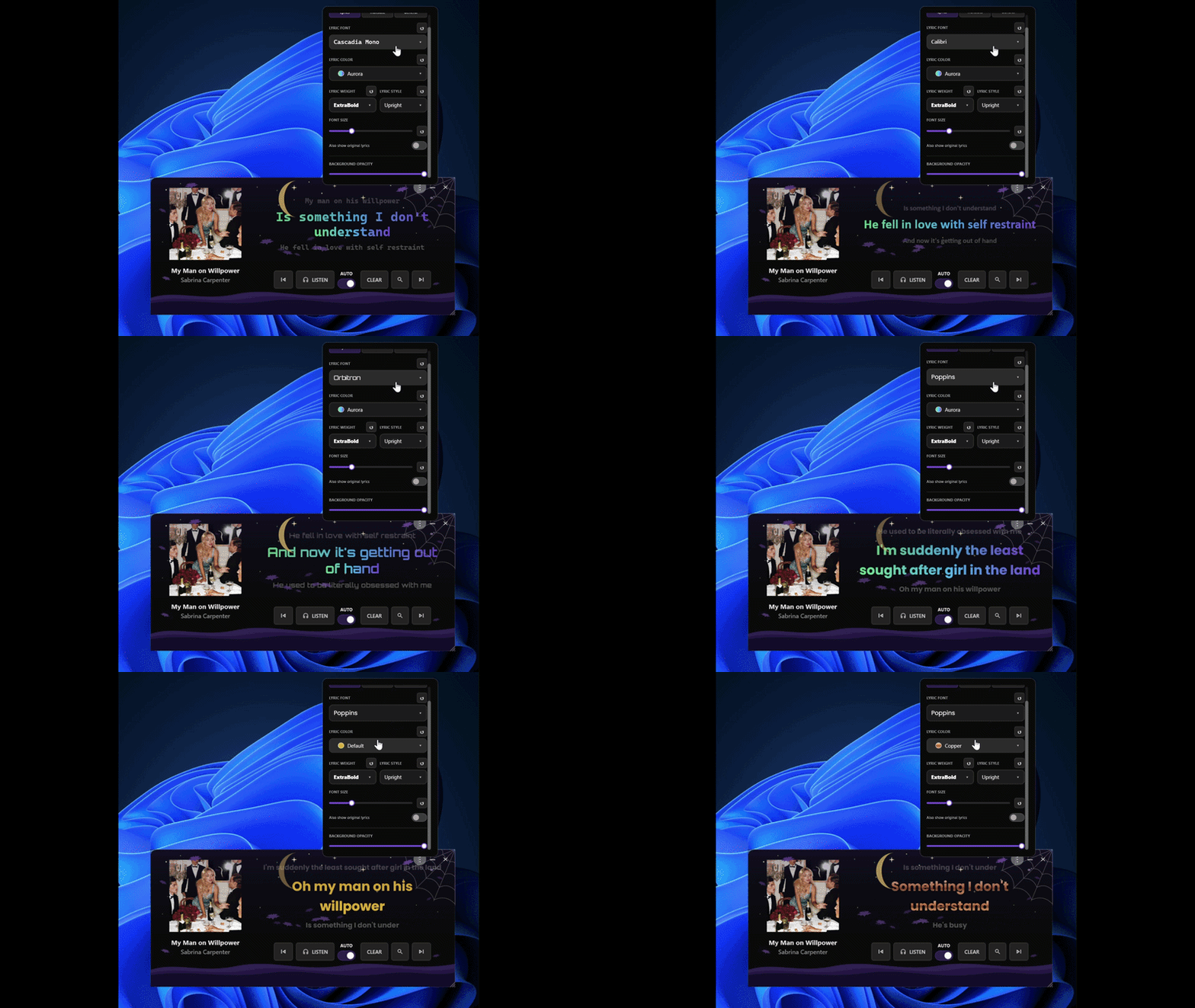
Font Customization
Personalize your lyrics with the following options:
Font Family: Choose from the available fonts to match your preferred visual style.
Font Color: Change the color of your lyrics using the available color options.
Font Weight: Adjust how light or bold your lyrics appear.
Italic Style: Enable or disable italics whenever you want.
Whether you prefer something clean and minimal or bold and expressive, you now have more freedom to customize how your lyrics appear on screen.
New Themes, New Looks!
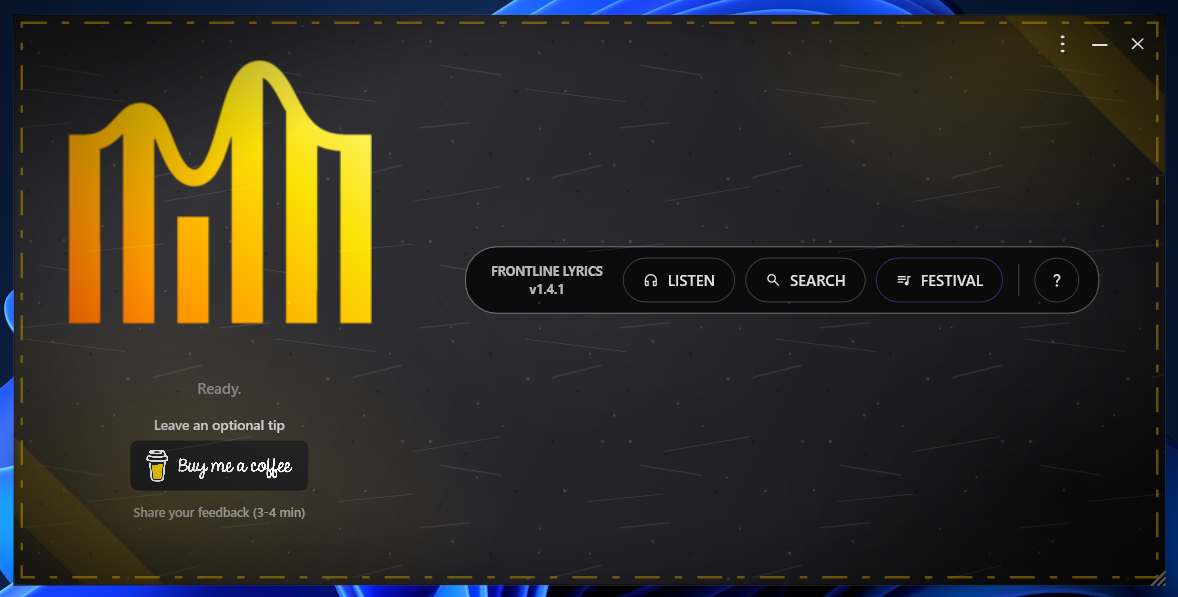
FrontLine Lyrics now offers three new themes, giving you more ways to personalize the application's appearance.
Alongside the original default theme, you can now choose from four different looks, all available to everyone, regardless of country or region.
Default Theme
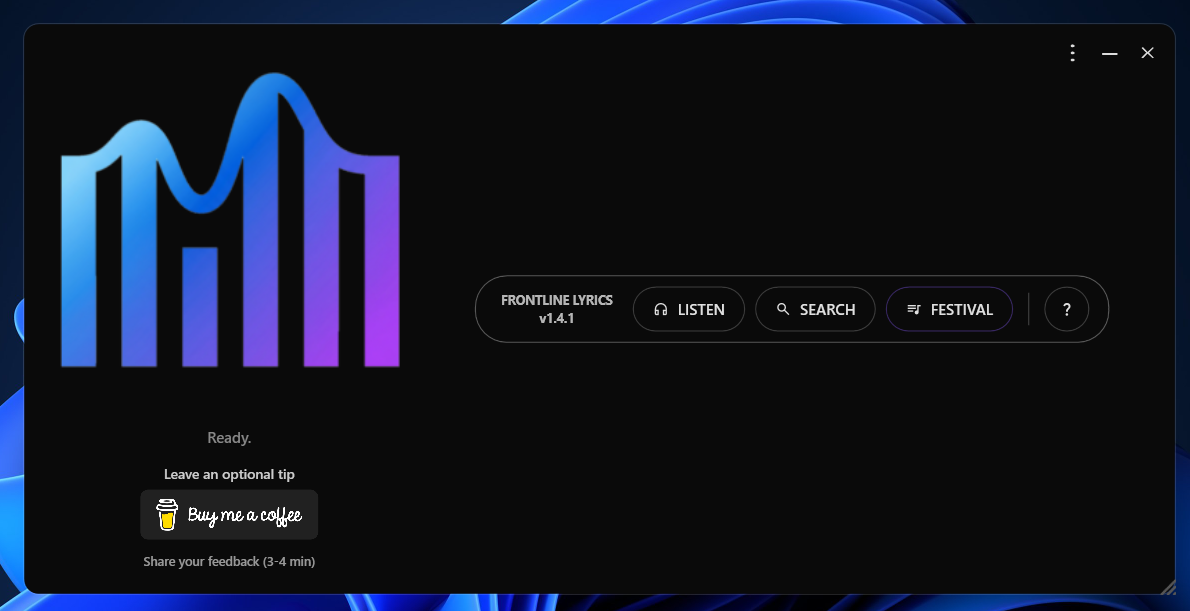 Theme 1
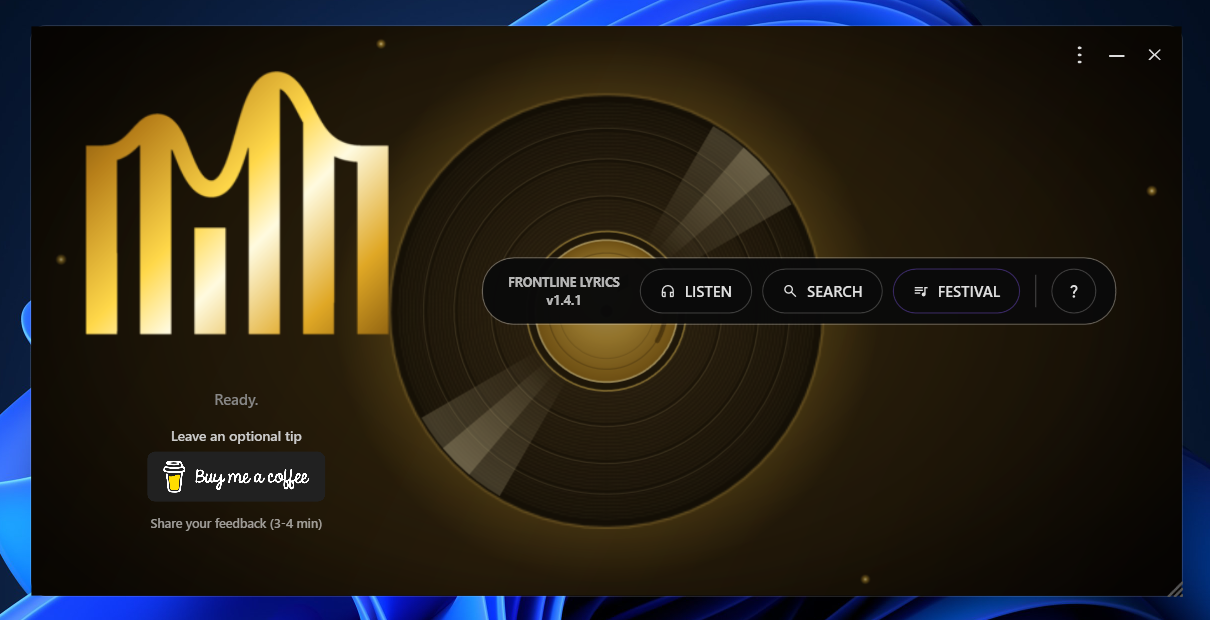 Theme 2
 Theme 3
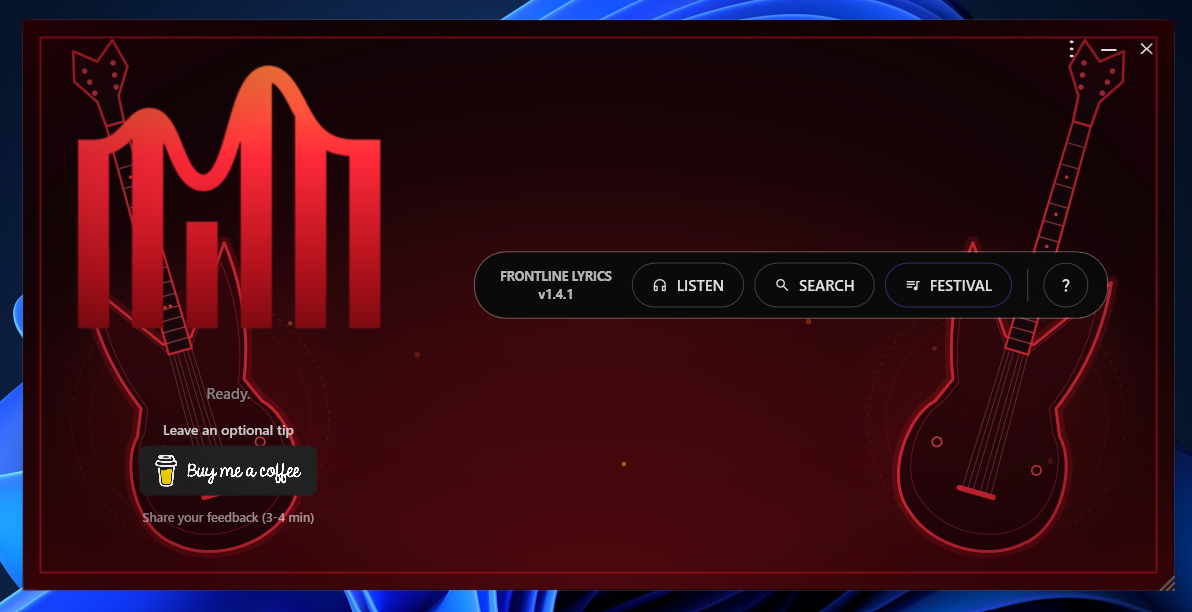 All four themes are available year-round, and you can switch between them whenever you want in General Settings.
🎃🎄🎆 Seasonal Themes Are Here!
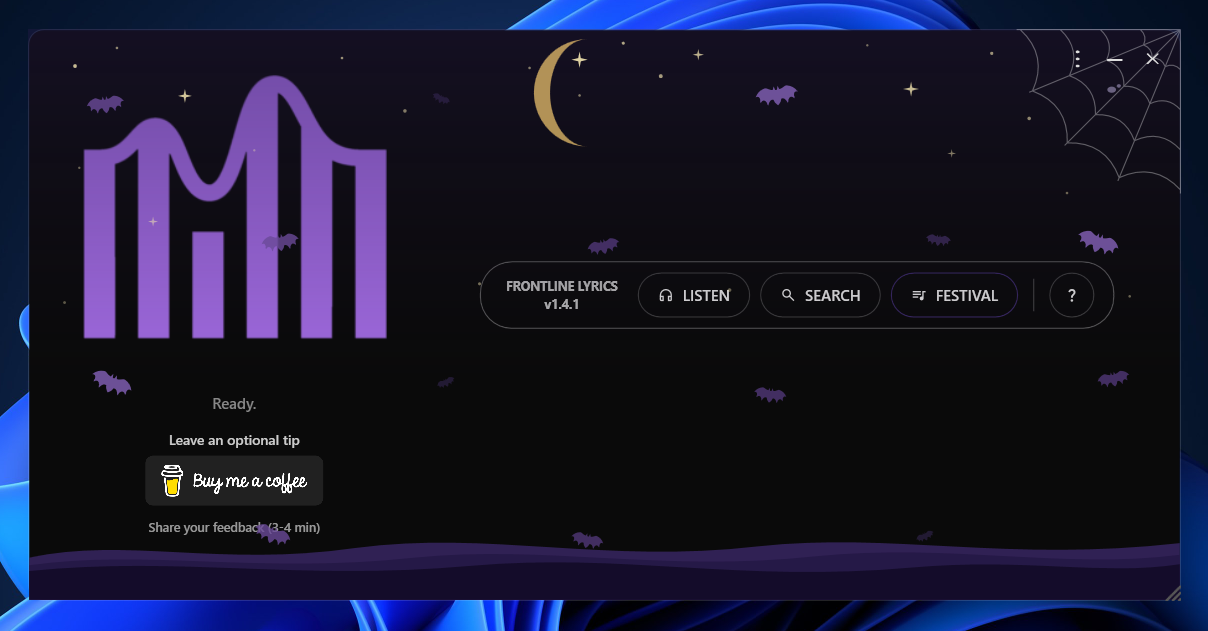
To celebrate the end of the year, FrontLine Lyrics now includes three seasonal themes that bring a festive touch to the application.
Unlike the regular themes, seasonal themes are available only during specific dates and in supported countries and regions.
🎃 Halloween Theme
Available: October 16 – November 1
 🎄 Christmas Theme
Available: December 1 – 26
🎆 New Year Theme
Available: December 30 – January 3
Regional Availability
Seasonal themes are available only in selected countries and regions. Each theme has its own list of supported regions, so availability may vary depending on your location.
Themes follow the configured seasonal dates and regional availability rules.
A Cleaner, More Organized Settings Menu
We've reorganized the settings interface to make customization easier to navigate.
Instead of having everything in one place, settings are now divided into three dedicated tabs:
Lyrics Settings: Customize the appearance of your synchronized lyrics.
Lyrics Translation: Manage settings related to song lyrics translation.
General Settings: Choose your application language, select your preferred theme, and manage general preferences.
This new layout keeps related options together, making the settings interface cleaner and more organized.
I would love to receive your feedback!
We've also added a new feedback form, accessible directly from the application's menu.
It takes approximately 3-4 minutes to complete and includes a few simple questions about your experience with FrontLine Lyrics, how you use the application, and what you think could be improved.
Your feedback helps us understand what matters most to you and what you'd like to see in future updates.
Have a suggestion or something you'd like to share? We'd love to hear from you!