
The Ultimate Cheat Guide to 2003 Video Game from Ubisoft - XIII
First a little ramblings of the start of it all....
Thanksgiving 2024, I was going through the mod communities and wanted to share some love for the games. I noticed that not much was said on the subject on cheat codes for the XIII game. Having programmers-curiosity (which I can't seem to shake) led me to finding way more cheats, codes, hidden gems within the game I enjoyed playing in the 90s.
The Quest was on to collect and document as much useful information about the subject, which brings me to InsideXIII and WikiXIII Fandom pages. I was asking around for work being unemployed and house-sitting across the world has had its ups and downs. Mostly Dogs and I bet I was a dog in another life, but at the moment just a cabin on its own grid, wood burning stove and lots of remote time to find something.
Back to the Cheat Codes; I wanted to give back to a community which has always been good in my opinion, the fans that wanted more from the remake and love the comic feel and almost timeless effect (not about the AI or the gameplay like don't freakin forget to save) and went on this quest. For a month I have been codeminning and hacking away at the problem, finding more and more that wasn't on ANY site online. I wanted to do want no one has done yet.... Also a little networking which led me to being a Bureaucrat for WikiXIII helping fill in the subjects, making a ' No Photo Available' image for the site:

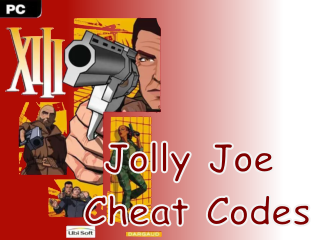
A cheat encyclopedia of the game XIII, here is the main part of how to use them the rest will be on the updated site: XIII - Jolly Joe's Cheat Codes
The Ultimate Cheatsheet_
“Number XIII is still alive!”
Welcome to the ultimate cheatsheet for the classic XIII game from 2003. This has been a personal project since I only found a few places with any helpful info on cheats I want to give back to an awesome community and spread some fun. Enjoy the codes and see the bottom for more info.
There are two ways to use cheats “with” quotes and without. It’s helpful to know that if you play XIII without cheats enabled, you can still use some cheats/codes but the Log-Version is recommended. Below are the two versions, Happy Modding!😁🅰 <LOG-VERSION>
Or Allow Cheat True
Launch XIII.exe with the log active (from the XIII/system folder):
PowerShell →
./XIII.exe -logCMD →
XIII.exe -logShortcut → With Admin rights, add -log, after the string in the Target field i.e: Target:
".../system/XIII.exe" -log
Switch windows with
Window Button,Alt + TaborAlt + EnterEnter either into the log:
Set LevelInfo bAllowCheat TrueOr
set levelinfo ballowcheat 1Switch to the game and press
[F2]Use the codes below, Stay Jolly!
Working Examples:
FOV 100 Summon XIII.m16pick ShowDebug ShowDebug2 RestartLevel SwitchLevel Plage00 Open Plage00
🅱 <"QUOTE"-VERSION>
Or Allow Cheat False
Without the console just add the one word command word in quotes (sometimes no quotes). This is just running the game without opening the log and allowing cheats.
Only the
"ShowDebug"in quotes work (you can also useShowDebug2without quotes)Not All Codes Work
Working Examples:
"FOV" 100 "Summon" XIII.m16pick "ShowDebug" ShowDebug2 "RestartLevel" SwitchLevel Plage00
— Notes —
Game auto CAPS the text
If a summon code doesn’t have a command infront it needs testing
In Quote-Version will be limited for the debugging codes and some other codes
– Helpful Hints –
Up/Down Arrow will go through the history of entered commands
Left Arrow will delete a letter (backspace)
Backspace and Equals sign, will raise and lower the camera
🏴☠️ CHEAT CODES
Code Description
God Toggle God Mode
ShowLog Hide the game and shows the log (if Log-Version is activated)
Exit Closes the Game (work Only in Log-Version)
Quit Closes the Game (works in both Versions)
ShowMenu Pause Menu
ImAWinner Auto Pass the Level
ImALoser Auto Fail the Level
SlowMo (float) (0-100+) 0 is slow-motion, 1 is normal speed, 0.5 is half speed, 2 is twice the speed etc.
SuperHero (Float) Multiplies your health and maxhealth to a factor of the float you put. WARNING! could break your health to only show zero even after you restart the level, exit game and restart will fix
GoreLevel (int) 0 is Normal, increasing values is less gore
Flowerpower (1/0) Toggles into hippie version (blood replaced) flowers, hearts, and kisses
MaxAmmo Give player max ammo on all weapons being held
Nuke Gives 500000 Damage to everyone around you (you will fail the mission if you aren’t meant to kill anyone, doesn’t work for helicopter boss)
ThrowWeapon Tosses current weapon to the ground
PlayersOnly Freezes All NPC’s the player cannot shoot, switch weapons, shoot, or open doors, NPC’s still get alerted by you
SetJumpZ (float) Set your jump height (Default=420.000000)
ViewClass (class) Able to cycle through all the PAWN in the Class
CheatView (class) Able to cycle through all the PAWN in the Class
FreeCamera (true/false) Switches to 3rd person debugging view (shows fps hands / cam moves the whole body)
ViewSelf Sets the camera back in players default view
BehindView (true/false) Switches to 3rd person cam view
SetCameraDist (float) Set the camera’s distance (must be in 3rd person to see change)
ViewPlayer View Player (1st Person View)
FOV (int) Change the Field of View example: FOV 100
LogInventory Check the log you will see –Begin and –End with a detailed report
Pause Freeze the game and removes the HUD
Say (string) Uses the Talk command (erase the text and use it for commands)
TeamSay (string) Uses the Team Talk command (erase the text and use it for commands)
RestartLevel Restarts the level / resets most cheats
Ghost You feel ethereal. You can fly around as a ghost (no one can hurt you, just like a ghost)
Fly You feel lighter. Lets you fly around (you can get shot so be careful where you fly)
Walk Resets the view back to the 1st person view (helpful when the camera is elsewhere)
RememberSpot Switching to either ShowDebug or ShowDebug2 will let you see the path to spot
Jump Makes the player jump
Fire 4 Fires current weapon once
Fire Uses keys (doesn’t open doors or shoot)
Reload Reloads for you
ForceReload Reloads for you
NextWeapon Switch to your next weapon
PrevWeapon Switch to your prev weapon
SwitchWeapon (int) Switch to weapon number
KillPawns Make all the pawns disappear
KillAll (package.class) Make all actors in that class disappear
SetName (string) Change your name (works well with online games)
Exec <filename> Make a <text> file with each line with a command you want (everything will load at once, file extension is optional)
Exec Usage
Sample.txt > In-Game run multiple commands at once
Copy and Paste into a new text file, for this example save it as /system/
Sample.txtin game press[F2]and typeexec sample.txtNow you have a chair and an explosion (won’t hurt). Have fun!Doesn’t have to have a .txt (just edit in notepad) would would the same with
exec sampleas long as the file is saved assampleThis example uses the Quote-Version
Sample
📄
say Spawn Chair & Explosion
"summon" XIII.ChaiseDeco
"summon" XIII.BazookExplosionEmitter
Much More on the updated site, enjoy XIII - Jolly Joe's Cheat Codes
Thank you for reading up and hopefully you can dust off the game and complete it or explore around as a ghost. Stay Jolly 😀 If you would like to support me by gifting a waffle, that would be amazing!