

Hi, this is Birgit again! 👋🏽
And I bring you good news!
We are one step closer to the road to Analytics. ↗
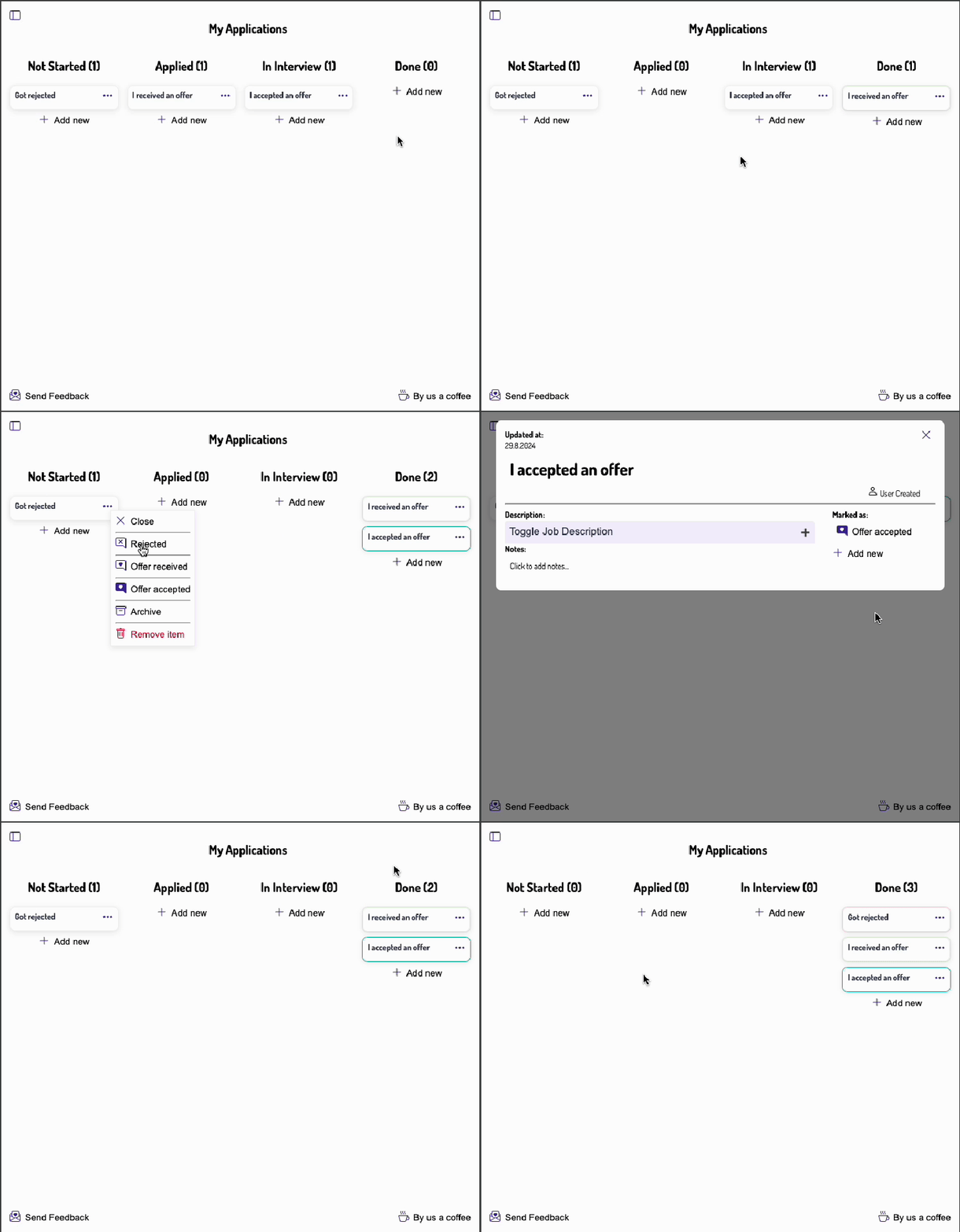
With the upcoming release v0.0.7 we introduce the possibility to give your job application card a resolution.
The options are
None: For no results yet
Rejected: In case you get a notification clearly indicating your application has been rejected
Offer Received: You have gotten an offer, but you have not accepted it yet
Offer Accepted: You have accepted the offer.
Where can you find the feature?
In the job board open the context menu of a card, where you can find the last three of the options. When you open the card you will find them plus the fourth on the right side.
We figured, that you want to play around with it, to understand how this works.
Every new board card comes with resolution "None" first. When you do your experiments, and you want to mark a card as Offer Accepted for example, you can easily pull the card back, by opening the card and mark it as None.
Why is this feature so important for analytics?
Throughout your life, you will apply for many positions and you want to observe the application market, as well as how well your application skills are doing.
Possibly most of the time you will be ghosted, this is when the resolution is None, or being rejected.
If you track your job applications, you will see that most of the data looks like this: