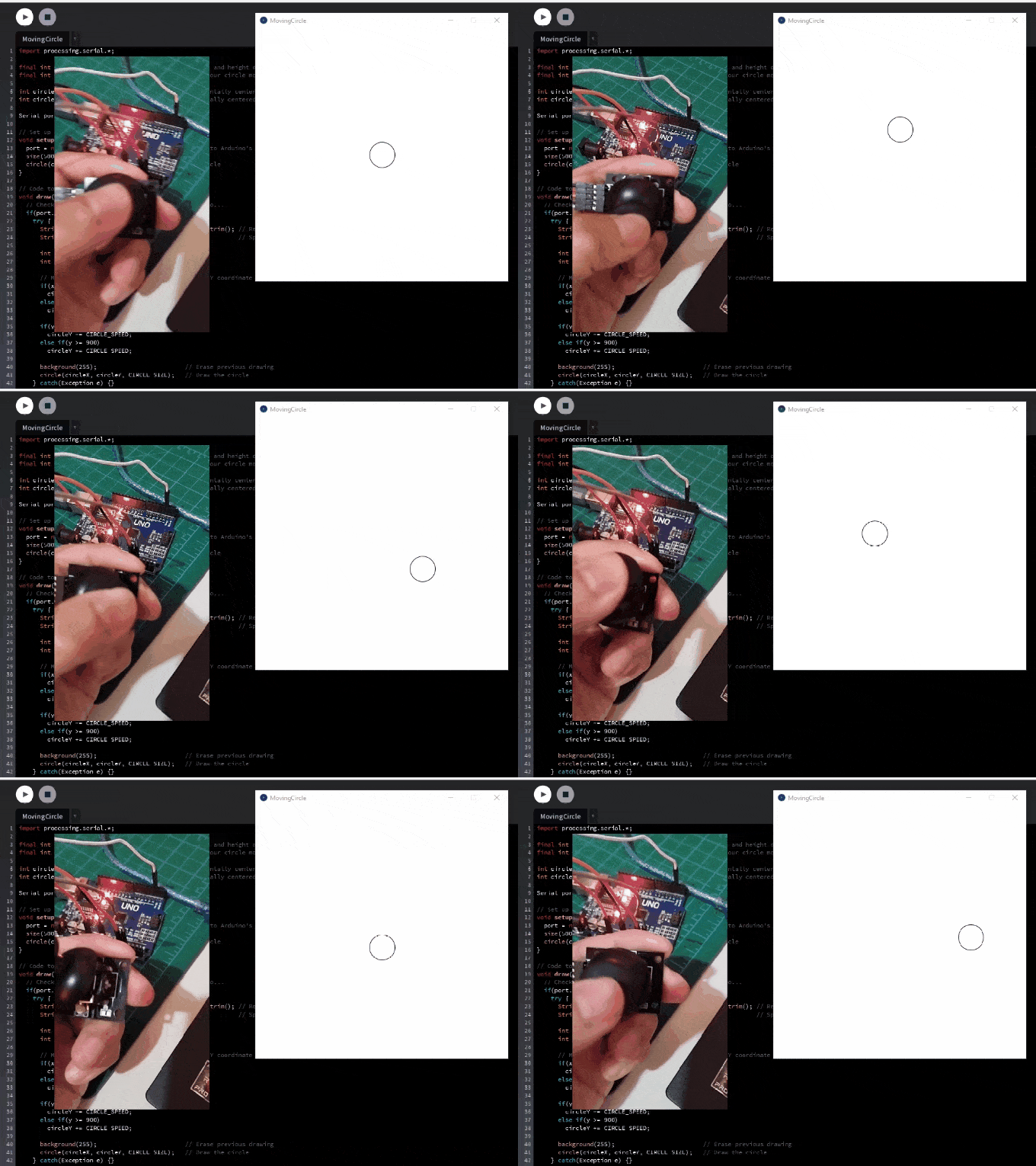

Objective
This chapter illustrates transferring serial data from the Arduino Uno board to the Processing IDE (Integrated Development Environment). Combined with Arduino, Processing is a tool for developing interactive projects connecting the physical and digital worlds.
In this chapter, we will demonstrate a simple application where a joystick is used to move a shape on the computer screen.
Prerequisites
Setup
Joystick
Arduino Uno board
Jumper Wires
About Processing
Processing is a software application specifically designed for those who want to create interactive graphics, animations, and visualizations. When paired with Arduino, we can use data retrieved by sensors to create data visualization in the computer to which it is connected.
To develop projects in Processing, one must have proficiency in the Java programming language. There are dedicated tutorials available for coding in Processing. However, this chapter will only provide a brief overview of Processing, as the main focus is on how to transfer data from Arduino to Processing.
Building the Circuit
To start, we need to wire the Joystick to the Arduino board. Kindly complete Chapter 10: Joystick.
Writing the Source Code in Arduino
Next, we will write a source code that captures the X and Y axis values generated by the joystick and print it to a custom serial port number. Later on, we will use Processing to connect to the said port number and be able to retrieve the data.
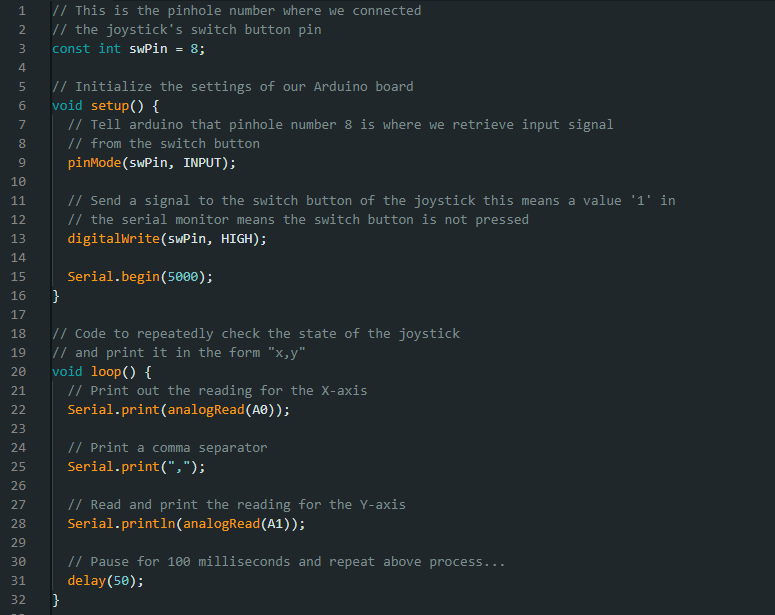
One important aspect to note from the above code is the use of port number 5000 for serial communication. Additionally, it is crucial to know the serial port name. For this demonstration, we are using "COM5" as the designated port name.
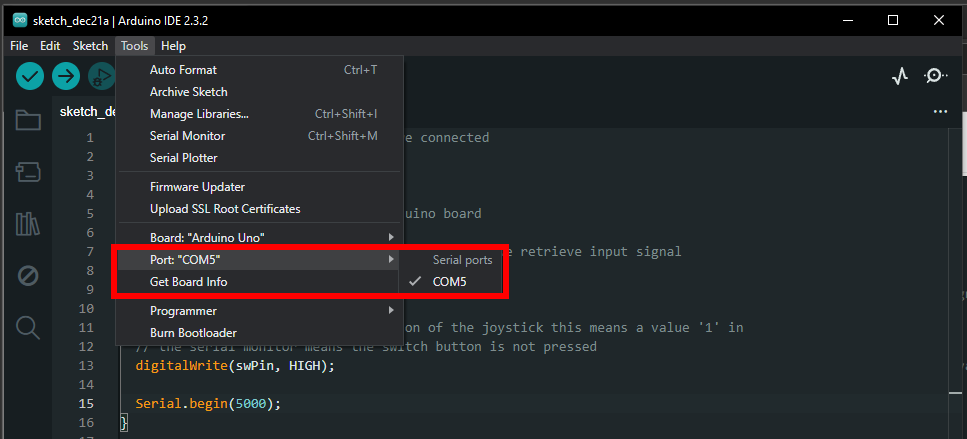
The port number and name will be utilized later in Processing when retrieving data serially printed by Arduino. At this point, we can compile and upload the code to the Arduino board and proceed to the next step.
Writing the Source Code in Processing
Assuming that the Processing IDE has already been installed, we will now write a code to retrieve the X and Y coordinates printed by Arduino. These coordinates will be used as a guide to move a shape drawn by Processing.
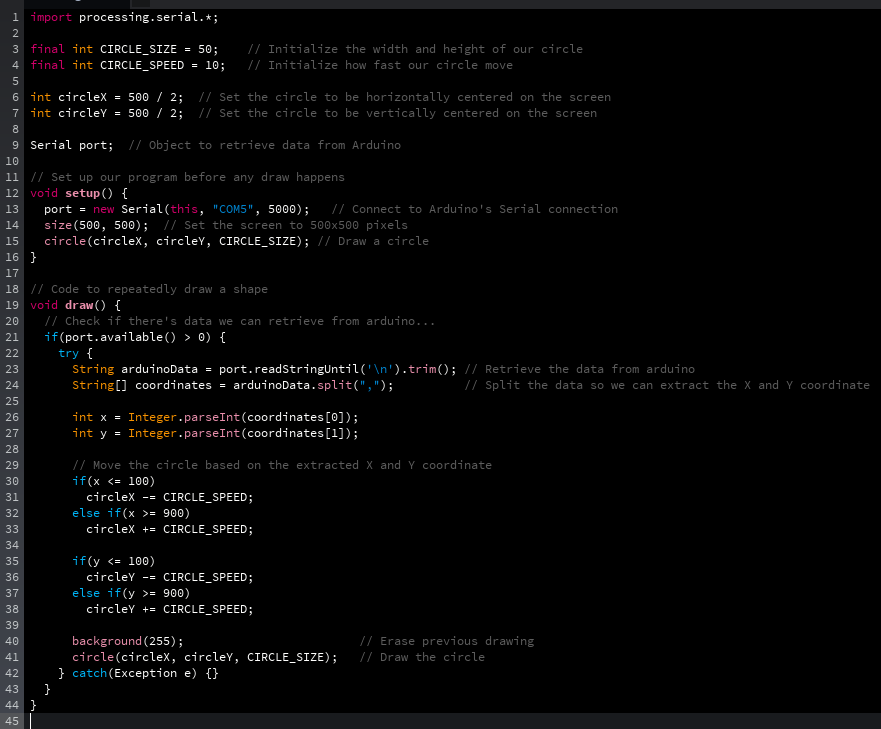
Output
When the Processing code is executed, it will continuously retrieve serial data from the Arduino. The retrieved data is then parsed to extract coordinates, which are used to move a shape.