

Snowflake has become a go-to platform for modern data teams. But many of its powerful SQL features remain underused.
Whether you’re writing transformations, running analytics, or just trying to optimize your queries these intermediate to advanced tricks can save time, reduce costs, and make your SQLcleaner and more efficient.
Here Are The Most Powerful Snowflake SQL Tricks You Are Missing Out
✅ 1. QUALIFY for Cleaner Filtering
Forget messy subqueries when dealing with window functions. QUALIFY lets you filter directly on ROW_NUMBER(), RANK(), etc.
SELECT *
FROM SNOWFLAKE_SAMPLE_DATA.TPCH_SF1.ORDERS
QUALIFY ROW_NUMBER() OVER (
    PARTITION BY O_CUSTKEY ORDER BY O_ORDERDATE DESC
) = 1;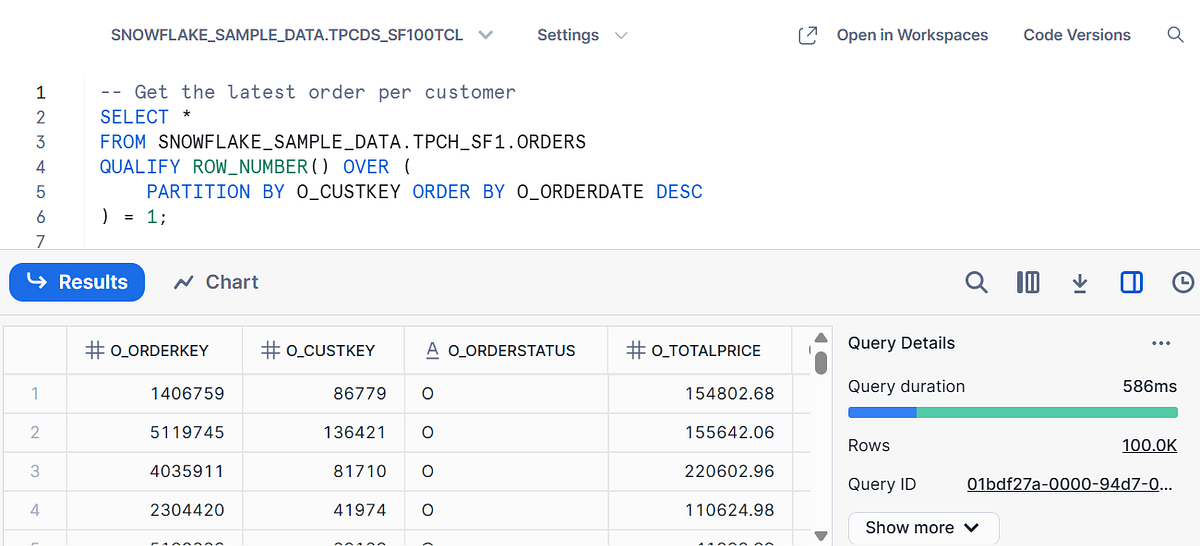
🔍 Use case: Get the latest transaction per customer, without nesting anything.
✅ 2. ARRAY_AGG + OBJECT_AGG for Smart JSON Building
Want to convert tabular data into JSON or semi-structured formats?
-- Products bought per order
SELECT
  L_ORDERKEY,
  ARRAY_AGG(LINEITEM.L_PARTKEY) AS PARTS_ORDERED
FROM SNOWFLAKE_SAMPLE_DATA.TPCH_SF1.LINEITEM
GROUP BY L_ORDERKEY;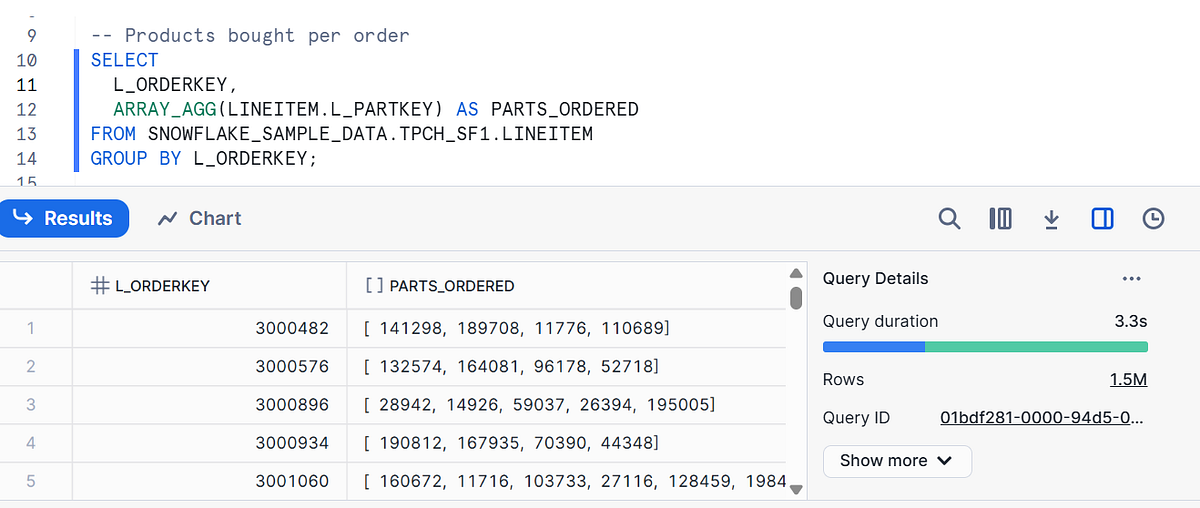
SELECT
  L_ORDERKEY,
  OBJECT_AGG(L_PARTKEY, SUM_QTY) AS PART_QUANTITY_MAP
FROM (
  SELECT
    L_ORDERKEY,
    L_PARTKEY,
    SUM(L_QUANTITY) AS SUM_QTY
  FROM SNOWFLAKE_SAMPLE_DATA.TPCH_SF1.LINEITEM
  GROUP BY L_ORDERKEY, L_PARTKEY
)
GROUP BY L_ORDERKEY;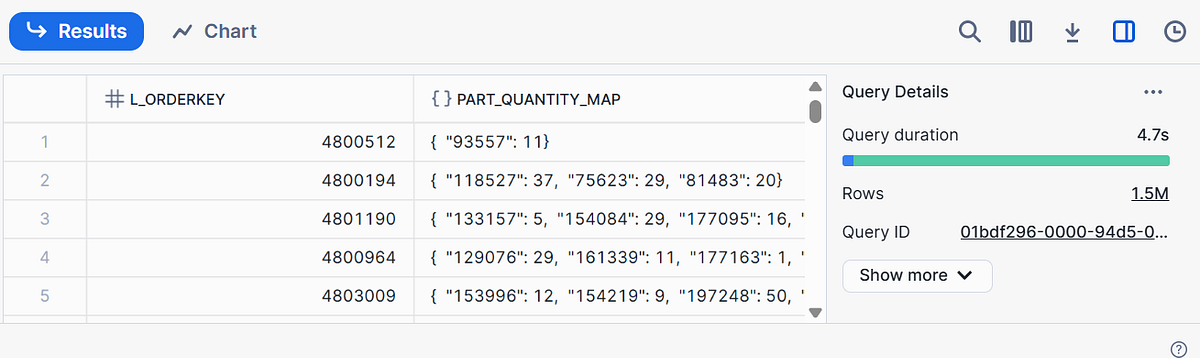
🛠️ Use case: Create user activity logs, product bundles, or even custom dashboards.
✅ 3. INFORMATION_SCHEMA for Dynamic Metadata Queries
You can query Snowflake’s INFORMATION_SCHEMA to build data catalog tools or auditing queries.
SELECT table_name, column_name, data_type
FROM SNOWFLAKE_SAMPLE_DATA.INFORMATION_SCHEMA.COLUMNS
WHERE table_schema = 'TPCH_SF1';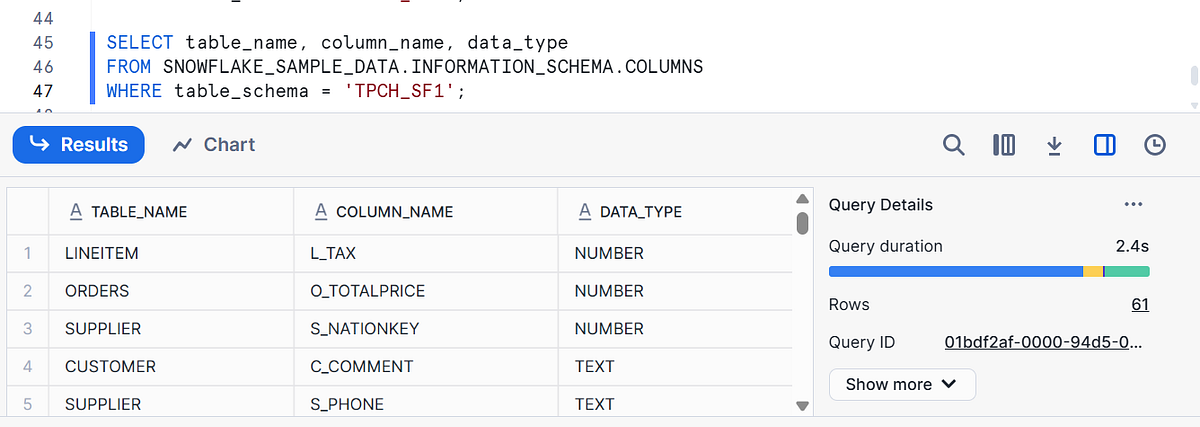
💡 Use case: Build dynamic validation scripts or generate documentation with zero manual effort.
✅ 4. RESULT_SCAN() to Reuse Your Last Query
No need to rerun long or expensive queries, just reference the previous one!
SELECT *
FROM TABLE(RESULT_SCAN(LAST_QUERY_ID()));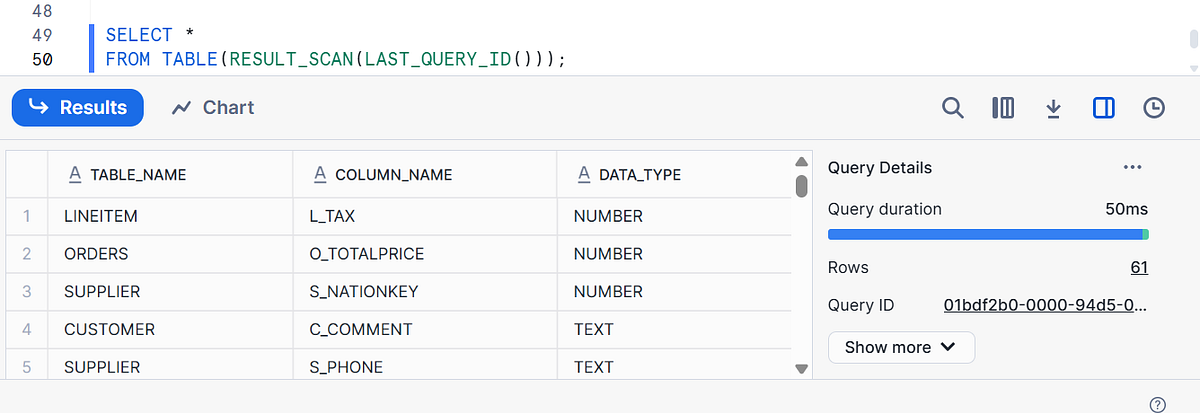
⚡ Use case: Run quick sanity checks, profile your results, or apply transformations post-query.
- Read more about Result_SCAN() here
✅ 5. Leverage TABLESAMPLE for Quick Debugging
Debugging a huge dataset? No need to scan it all, just sample!
SELECT *
FROM SNOWFLAKE_SAMPLE_DATA.TPCH_SF1.LINEITEM
TABLESAMPLE BERNOULLI (1);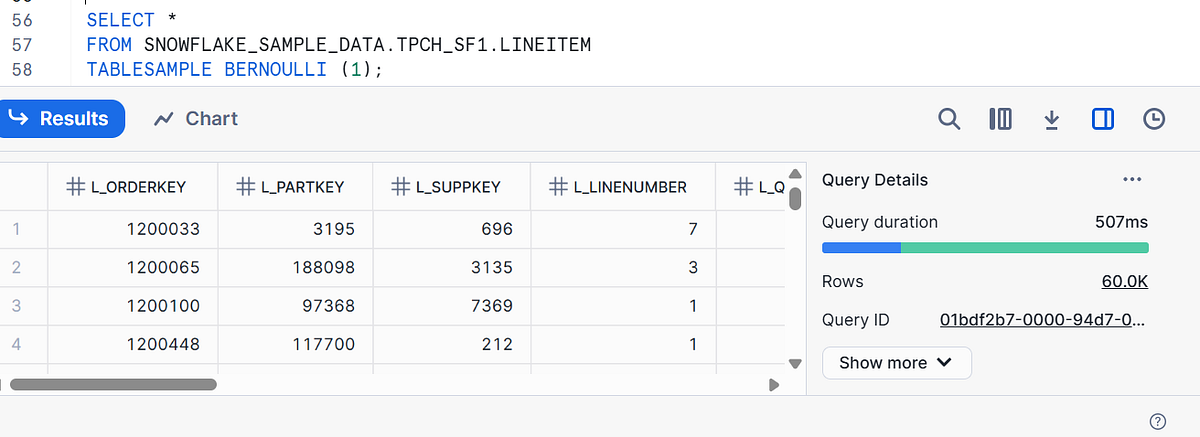
🐛 Use case: Quick checks while building models, exploring joins, or debugging pipelines.
Bonus Tip: Use EXPLAIN for Query Optimization
Want to see where Snowflake is doing extra work?
EXPLAIN USING TEXT
SELECT *
FROM customer
JOIN customer_address
  ON customer.C_CUSTOMER_ID = customer_address.CA_ADDRESS_ID;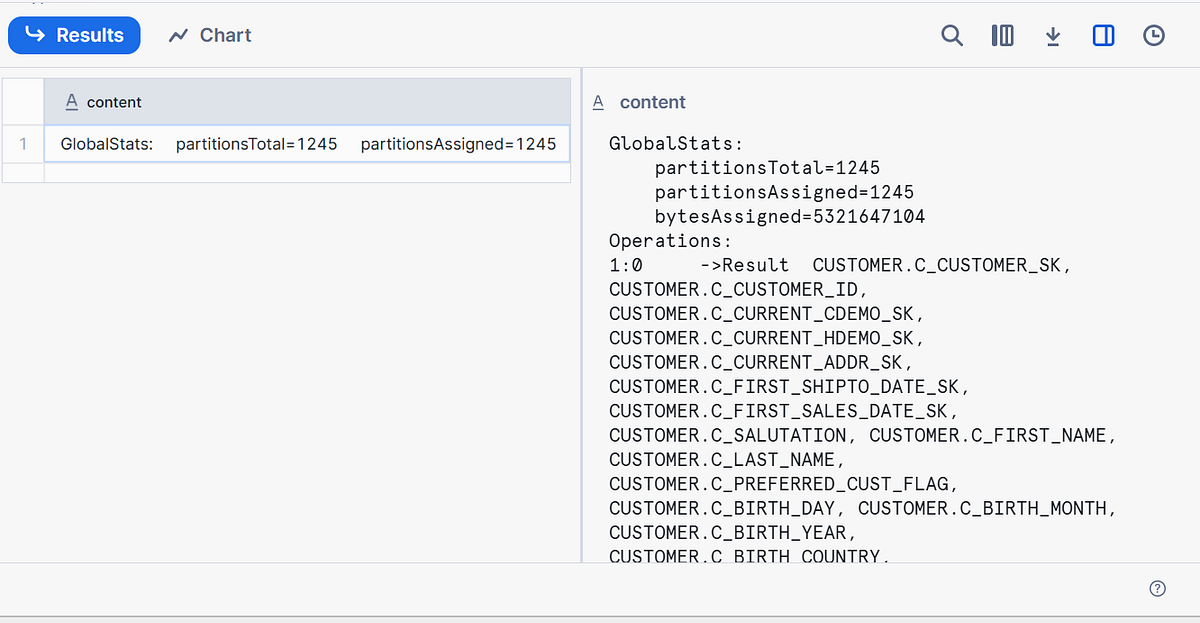
Query Plan Says
The query plan sys, you’re doing a join between two tables:
CUSTOMERCUSTOMER_ADDRESS
Join Key Used:
CUSTOMER_ADDRESS.CA_ADDRESS_ID = CUSTOMER.C_CUSTOMER_IDWhich implies that you’re joining customer ID to address ID, possibly to simulate or explore how customers relate to their addresses.
📈 Use case: Spot and fix expensive joins, full scans, or redundant sorts.
Frequently Asked Questions (FAQs)
Q1. What are some advanced SQL tricks in Snowflake?
Advanced SQL tricks in Snowflake include using QUALIFY for filtering windowed rows, LATERAL FLATTEN for parsing JSON, and leveraging MERGE for upserts. These can drastically improve your data manipulation workflows.
Q2. What is the QUALIFY clause in Snowflake SQL?
The QUALIFY clause allows you to filter the results of window functions directly, eliminating the need for subqueries. It's unique to platforms like Snowflake and BigQuery.
Q3. How do I handle semi-structured data in Snowflake?
Snowflake makes it easy to work with semi-structured data like JSON, XML, and AVRO using the VARIANT data type and LATERAL FLATTEN function.
Q4. Can Snowflake SQL be used for real-time analytics?
While Snowflake is optimized for batch analytics, it integrates well with tools like Kafka, Snowpipe and Snowpipe Stram, and external services to support near real-time data ingestion and querying.
Q5. How do I optimize performance in Snowflake SQL queries?
Use techniques like clustering keys, avoiding SELECT *, using result caching, and leveraging task-based automation for improved performance.
Q6. Is Snowflake SQL different from standard SQL?
Snowflake uses ANSI-compliant SQL but adds its own features such as QUALIFY, SAMPLE, STREAM, TASK, and time-travel capabilities.
Q7. How do I learn Snowflake SQL from scratch?
Start with Snowflake’s official tutorials, explore their free trial, and practice using datasets from Kaggle.
IMPORTANT
💡 All queries in this article can be tested using Snowflake’s built-in sample data: SNOWFLAKE_SAMPLE_DATA.TPCH_SF1. No setup required. Just create a trial account.