

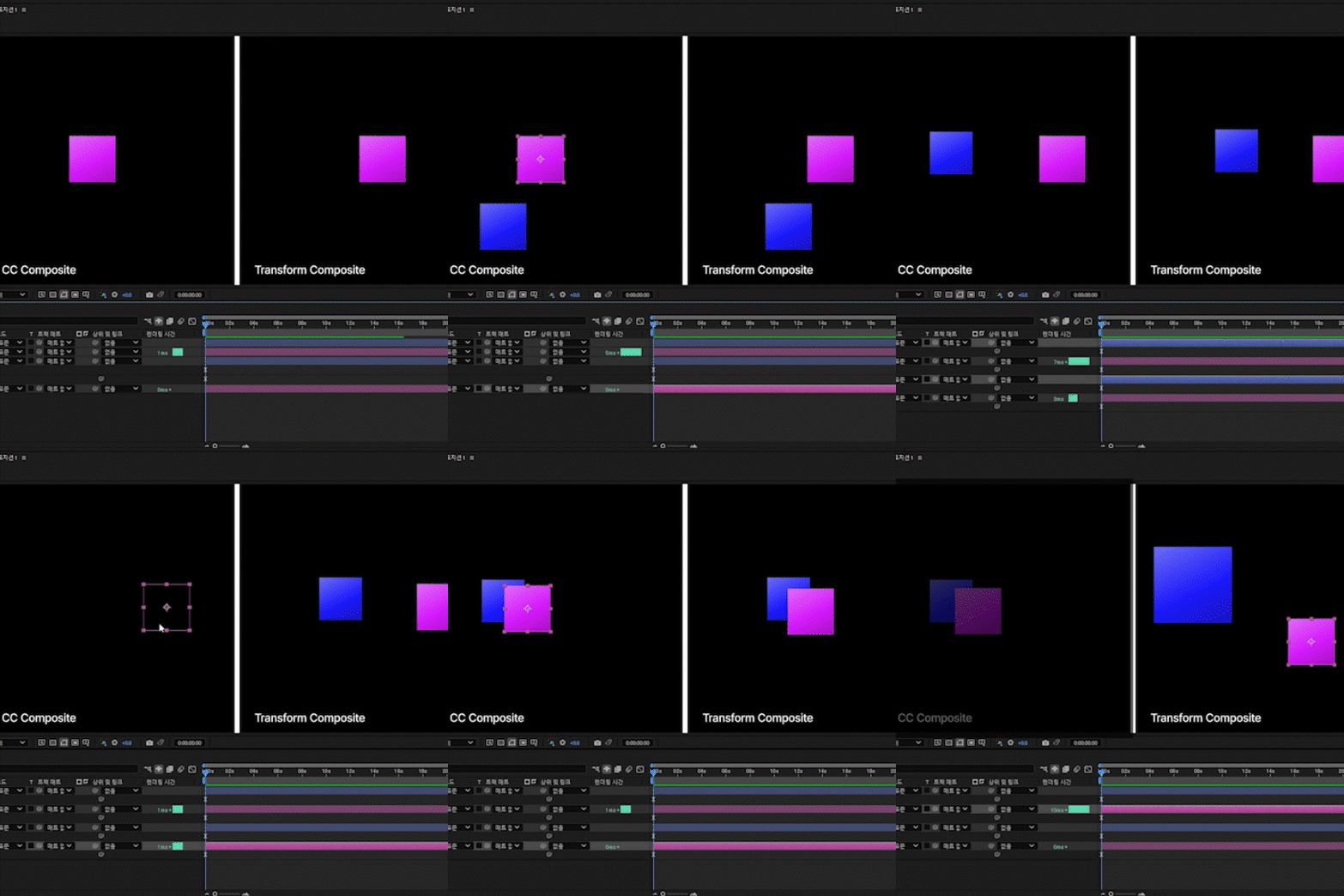
변형 컴포지트(Transform Composite)
$5
https://x.com/repiece_/status/1916147817057554520
This plug-in supports Mac and windows.
On Mac, permission must be granted in Privacy & Security settings during the first launch.
This is a version of CC Composite with added Transform controls. It provides a similar feel to the original.
Feature Description
*This is a brief overview. Experiment with various settings to fully experience the functionality
Auto Buffer Expansion -Automatically expands the buffer area when edges are clipped (for performance reasons).
Important Notes
Compatibility is guaranteed for After Effects 2023 and later versions.
Installation
Place the latest version file in the After Effects Plug-ins folder.
Mac → .plugin
Windows → .aex
CC Composite 에 Transform를 추가한 형식입니다. 유사한 조작감을 제공해줍니다.
기능 설명
*간략한 기능 설명입니다. 수많은 기능을 직접 만져보면서 체험해 보세요
Auto Buffer Expansion -경계가 잘릴 때 경계를 확장하는 기능입니다. (성능상의 이유)
유의상황
After Effect 2023 이상 버전에 정상 작동을 보장합니다.
적용 방법
After Effects \ Plug-ins에 최신 버전 파일 하나만 넣어주세요.
Mac -> .plugin
Windows -> .aex
CC CompositeにTransform機能を追加したバージョンです。オリジナルに近い操作感を提供します。
機能説明
*これは概要に過ぎません。さまざまな設定を試して、機能を最大限に体験してください。
Auto Buffer Expansion - 境界が切れる場合に、自動でバッファ領域を拡張します(パフォーマンス上の理由による)。
注意事項
After Effects 2023以降のバージョンでの動作を保証します。
インストール方法
After Effects の Plug-ins フォルダに最新バージョンのファイルを1つ入れてください。
Mac → .plugin
Windows → .aex
Browse the other products below. English is supported.
아래의 다른 상품을 살펴보세요. 한국어를 지원합니다.
以下の他の商品をご覧ください。日本語に対応しています。
$5
$5