

I recently purchased an additional on the go mechanical keyboard to use with my Mac. Even though it was quite cheap (around $25), it was well built and I really liked it.
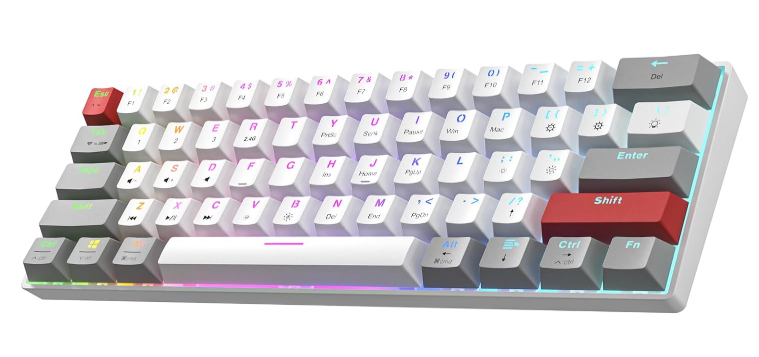
It does have Mac support, however they way they mapped the Command and Option key was exactly the opposite of what i am used to, but luckily there is a very easy solution allowing you to the remap the option / command key to your liking.
Swapping the Option and Command Keys
The best thing for swapping the (special) keys is that you don't need any special software. It's build in Mac OSX.
Open the System Settings and navigate to Keyboard:
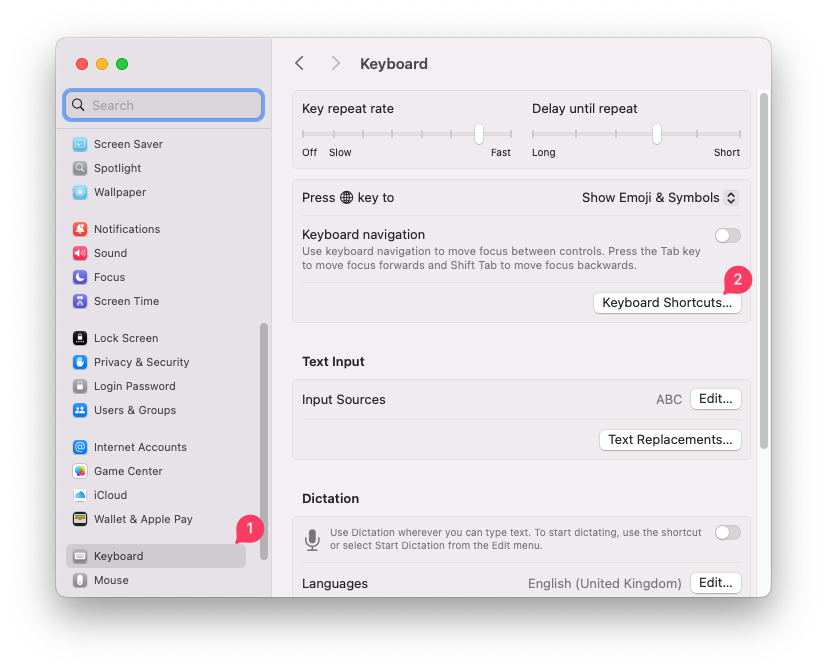
Press the Keyboard Shortcuts button to open the next dialog:
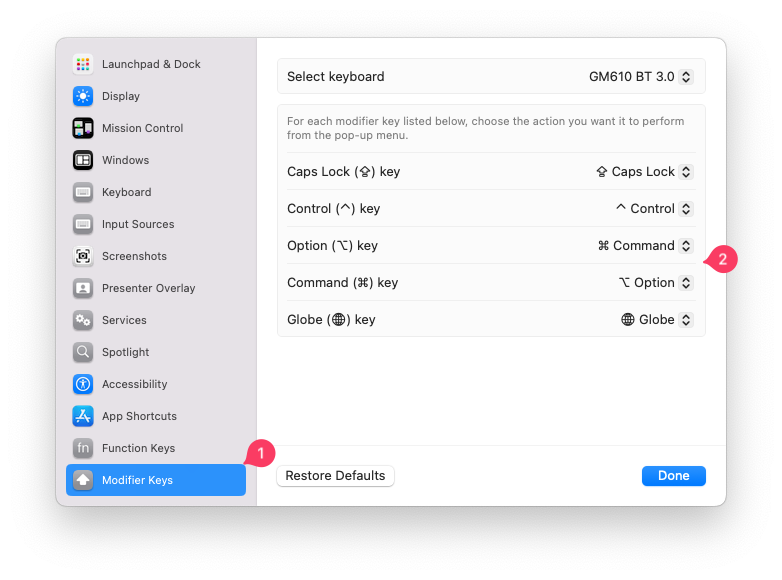
At the bottom left, you will see the Modifier Keys and from here swap the keys or make any changes you like. Easy peasy.
Additional Tip
If you need to (re)map other keys, you can use the opensource/free tool Karabiner-Elements for advanced key mapping.