
Hello, marvelous community architects! The journey to crafting an engaging, monetizable Discord café continues, and I'm thrilled to guide you every step of the way. Your support means the world, and if you've found these guides helpful and wish to contribute to the cause, the 'Support' button awaits your click. Now, let's plunge into Step 9!
In this step, we're utilizing our newly-recruited MEE6 bot to further automate our community management. We're setting it up to automatically grant the 'Verified' role to users who accept our café's rules. It's like instructing our tireless waiter, MEE6, to hand over the café loyalty card to customers who agree to our terms. Ready to put MEE6 into action? Here's how!
Journey to the MEE6 dashboard. It's akin to your command center for MEE6's activities. Look for 'Welcome & Goodbye' on the left side of the screen under the 'Server Management' tab. It's MEE6's briefing on how to welcome new customers and bid farewell to the departing ones. Click on it, and confirm with 'Activate Welcome & Goodbye' in the pop-up.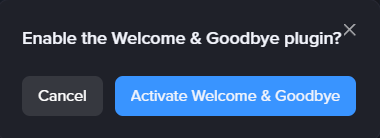
In the following section, toggle the option 'Give a role to new users'. It's like instructing MEE6, "When a new customer agrees to our café rules, give them a loyalty card!" Next, click the plus sign, and select the role (in this case, 'Verified') that must be given.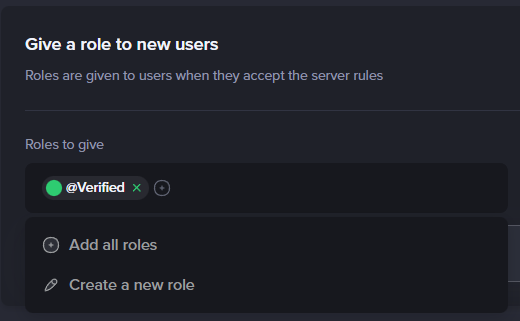
Once you've set that up, click the 'Save' button. MEE6 now knows what to do! It will automatically award the 'Verified' role to users who agree to the server rules.
And voilà, Step 9 completed! Your server now has a trusty assistant, MEE6, handing out verification badges efficiently. Remember to stay tuned for more guides. And if you've found these posts informative and helpful, consider buying me a coffee. Your support helps this series thrive! Until next time, happy automating!