

i'm a musician and i recently got a new laptop. a decently powerful laptop with a 12th gen core i5 and 8gb of ram. it has a fast SSD, boots up instantly and the screen does 360 degree noscope. (you can turn it into a tablet!) There's just 1 problem: It runs chrome os. no biggie, i'll put windows on it... Ooh, the sound won't work because the drivers are built for chrome os... ok, linux it is, then: BUT WAIT!
Set up linux environment
U can run linux on chrome os, already. so that's what i did! head over to the bottom of the settings page, look for linux environment. turn it on, and give it like 30gb of space.
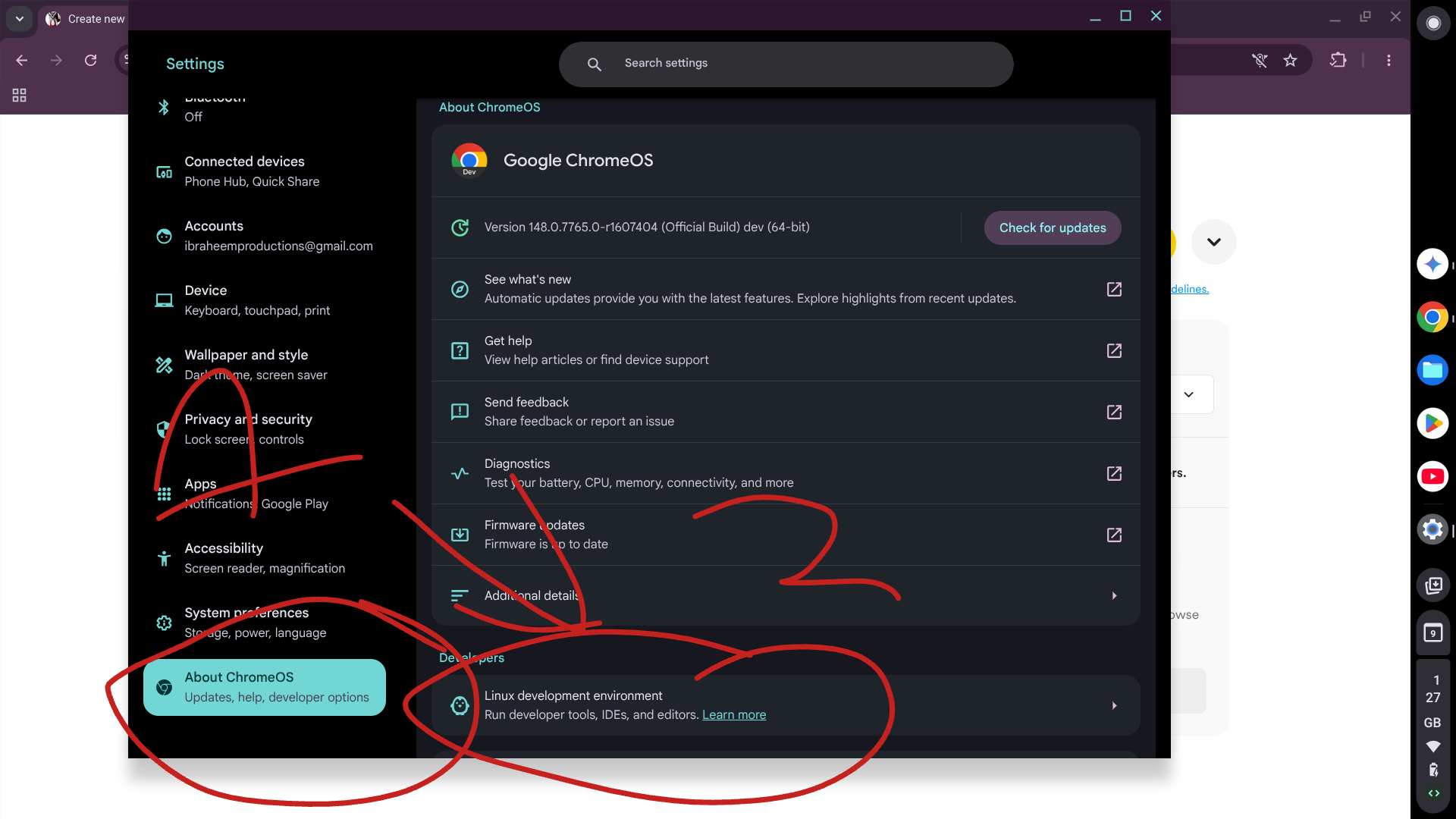 ok, now you have linux!
LETS INSTALL HISE!
Setup and dependancies
You want to compile from source. don't use the binary as it's months out of date (even on windows) Also, it will get rid of your coding stagefright) Since we're using Crostini within chrome-os, it comes barebones. we need some sruff.
Terminal Prep: Open your Linux terminal and install the core JUCE/HISE dependencies: (copy and paste)
sudo apt-get update && sudo apt-get install -y \
build-essential git libasound2-dev libfreetype6-dev \
libcurl4-openssl-dev libx11-dev libxcomposite-dev \
libxcursor-dev libxinerama-dev libxrandr-dev \
libmesa-dev libgl1-mesa-dev libglu1-mesa-dev \
libwebkit2gtk-4.0-dev
Optional (intel stuff)
On windows, you can skip this and it should just woek (i've tested witth my old windows laptop. i used faust)
Since we're on Intel-based Chromebooks, you need the Intel oneAPI Base Toolkit (IPP).
Path Tip: In HISE settings, point the Intel SDK path to
/opt/intel/oneapi/ipp/latest. Older IPP paths will lead to immediate export crashes.
Build and download
paste these commands
sudo apt-get install faust wait for it to do its thing
git clone --branch develop https://github.com/christophhart/HISE wait for it to clone it into your home directory
cd ~/HISE
git submodule update --init --recursive this installs Juce
cd ~/HISE/JUCE/extras/Projucer/Builds/LinuxMakefile
make CONFIG=Release this compiles JUCE so you can run hise
~/HISE/JUCE/extras/Projucer/Builds/LinuxMakefile/build/Projucer --resave "~/HISE/projects/standalone/HISE Standalone.jucer" Run this, it makes extra folders you need
nano ~/HISE/hi_backend/backend/ai_tools/RestServer.cpp Open this file, paste this in the file, after the #include statements.
"
#ifdef DELETE
#undef DELETE
#endif
"
And press ctrl+o, enter/return and ctrl+x and you'll be back in the main terminal.
cd ~/HISE/projects/standalone/Builds/LinuxMakefile paste this
and then this
make=CONFIG=Release -J4 ignore the pink warnings, they don't mean anything.
ls -l build/HISE test to see if it worked. if not, you get this?
ls: cannot access 'build/HISE': No such file or directory
LinuxMakefile$ cd ~/HISE/projects/standalone/Builds/LinuxMakefile
make CONFIG=Release run this. if it says something like "everything done," you've successfully made it.
find ~/HISE -name "HISE" -type f -executable run this to find hise
~/HISE/projects/standalone/Builds/LinuxMakefile/build$ cd LinuxMakefile/build run this and hise should open.
then, it's basically done, still with a tonne of errors but you can make it work.
2. The "Blank Export Folder" Nightmare
One of the most frustrating bugs on Linux is opening the Export > VST3 tab and seeing the "Output Folder" and "Project Name" completely blank. If you export like this, you get a "zombie" VST with no code.
The Fix:
Save: Go to
File > Save Preset (or something). This forces HISE to map your project's internal directory.Clean Build: Run
Export > Clean Build Folder.Manual Browse: If it’s still blank, click the
...and manually navigate to your/Binariesfolder. Never leave this empty, or you'll run into headaches trying to do it in command line and asking google gemini to fix it.
No UI/Gray screen fix
This is an issue i ran into. finally exported the vst, the button was actually clickable in the spot where i put it, but the UI was just gray and black boxes.
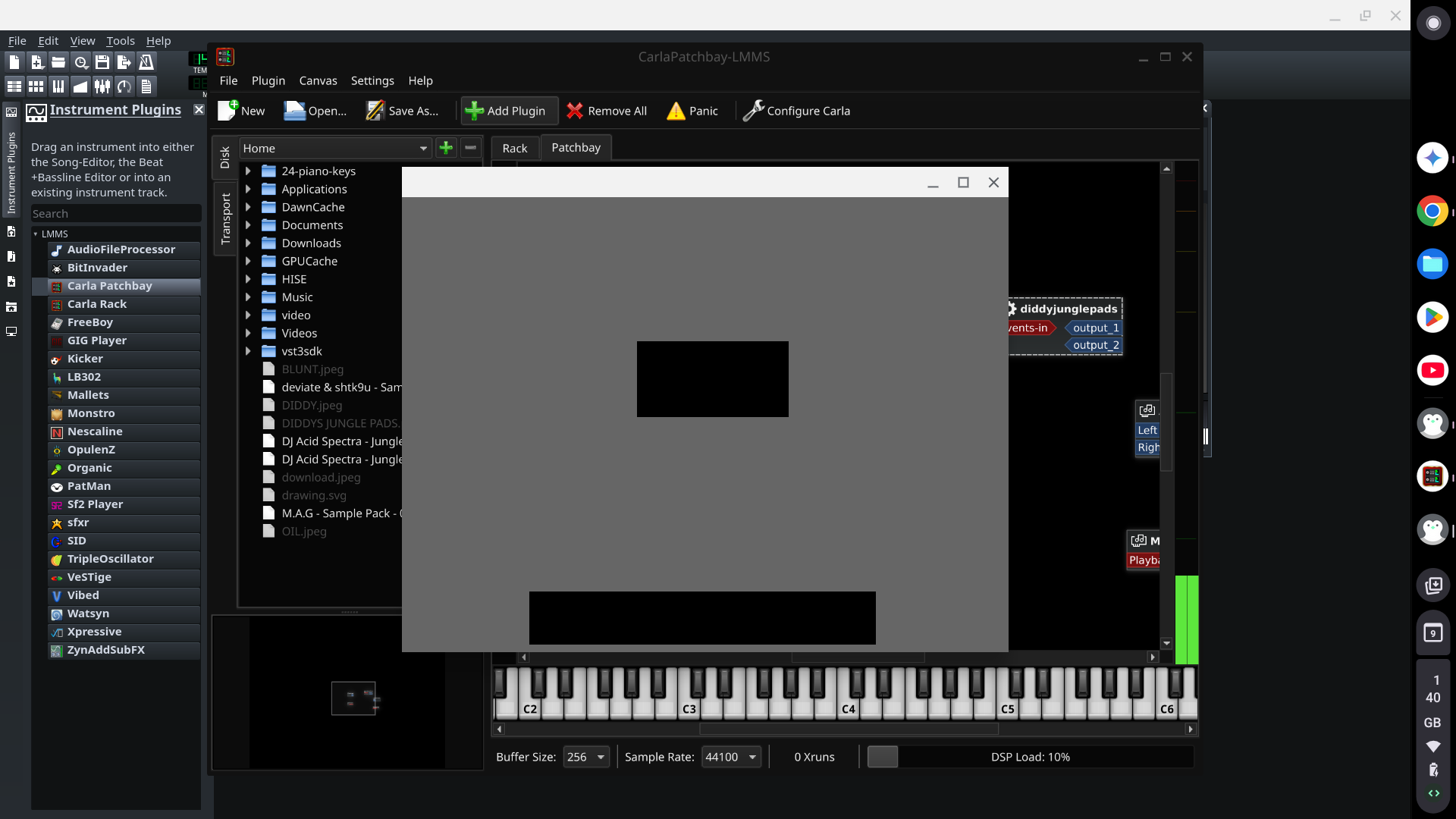 To fix it:
UI Init: Ensure your
onInitscript starts withContent.makeFrontInterface(width, height);. No interface call = 0px window.The Terminal Test: Before you build, run this in your terminal to see if HISE actually wrote your code to the source files:
grep -r "makeFrontInterface" ~/YourProject/Binaries/Source/Permissions: Chromebooks are picky. If HISE can’t write to the folder, run:
sudo chown -R $USER:$USER ~/HISE/projects/your_project
My workflow (This is just what i did cos i still have my old, falling to pieces, windows laptop)
I already installed inkskape, flatpack, hise, lmms and audacity on the chromebook, and i already designed the VST on the chromebook, plugged up the sample maps etc.
Sketch on Chromebook: Use the chromebook for the scripting, designing the UI (great if its touchscreen and you have the pen)
Final Export on Windows: I zipped up my project, put it on google drive. compiled hise on windows using CMD, set up the pjojuicer etc. Downloaded the zip once it was set up, moved it to Documents/Hise/Projects (you should install it in your documents folder for ease-of-use, since its easy to access in the sidebar of files app)
Open project in hise, on windows. check it still works, then go to Export in the top bar, click "compile" and a pop-up shoiuld show, with vsti and the output folder already filled out. after its exported, move the .vst3 and .hr1 to programme files/common files/VST3 folder. Open in a totally legit copy of FL studio and make a beat. job done.
Visual Studio 2026: Use the community edition and uncheck all the aditional components apart from windows 11 SDK annd the C++ stuff. of course, you can just have all the components, if you do other things on the machine but i didn't want to wait 3 years for it to download.
MY FIRST VST
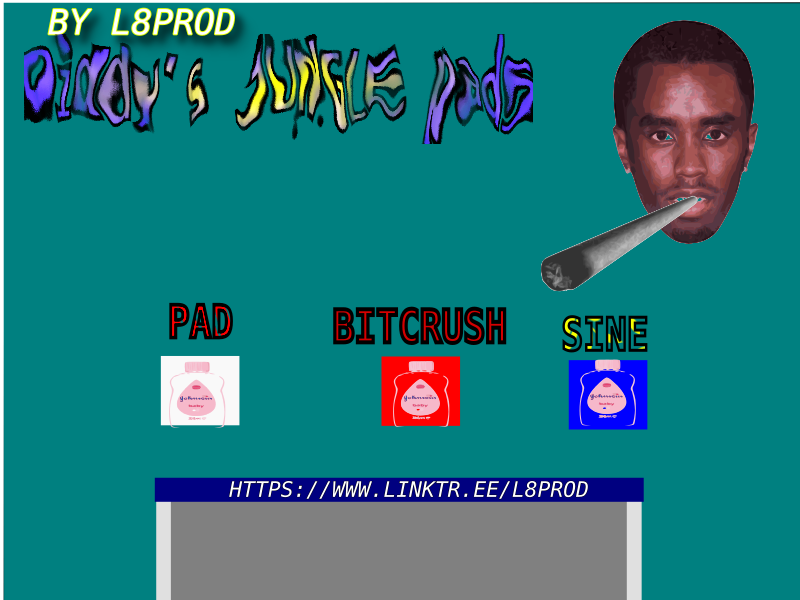
This VST will be released for FREE in the next few days. iy's an ethereal jungle pad instrument with 2 premade sounds and a bitcrusher you can turn on and off. This has been a very challanging week-long endevour, but i came up with the iddea about a year ago. i wanted to make a joke game originally where diddy chases you. maybe i can, but for now, i'm proud of my achievement. i managed to make a VST and it wasn't as hard as i thought it would be. the issues came from compiling/building and exporting, not for actually designing or programming the vst itself.