

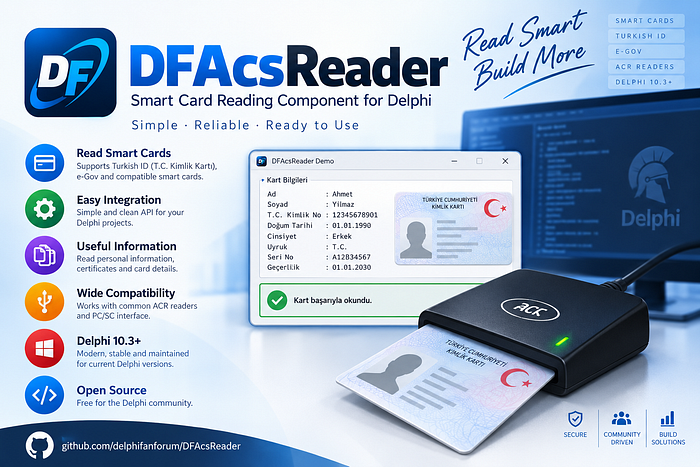
It talks to the Windows Smart Card API (winscard.dll / PC/SC).
UID is requested with the PC/SC Escape APDU used by ACS readers:
FF CA 00 00 LeLe is 04 for 4-byte UIDs and 07 for 7-byte UIDs.
ComponentTDFACSReaderPaletteDF ACSPlatformsVCL Win32 / Win64Websitedelphifan.comEmail[email protected]
Requirements
Delphi 10.3 Rio or later
Windows Smart Card service running
ACS / ACR (or other PC/SC) reader driver installed
Reader plugged in
Folder layout
Delphi/
  Source/
    DFWinSCard.pas          WinSCard API
    DFACSReader.pas         TDFACSReader
    DFACSReaderReg.pas      palette registration
    DFACSReader.dpk         optional runtime package
    dclDFACSReader.dpk      design-time package (Install)
  Demo/
    DFACSReaderDemo.dpr     VCL demo
    uMain.pas / uMain.dfm
  DFACSReader.groupproj
  README.md
Install on the Tool Palette
The component appears next to other VCL controls only after the design-time package is installed.
Open
Source\dclDFACSReader.dpkin Delphi.Right-click the package → Install.
Open a VCL form.
Open the Tool Palette and find the DF ACS category, or search for
DFACSReader.Drop TDFACSReader on the form.
If the category is missing: Component → Install Packages, confirm dclDFACSReader is checked.
Installing the demo project from source does not register the palette item. Palette registration comes only from Install.
Quick start
procedure TForm1.FormCreate(Sender: TObject);
begin
  ACSReader.LoadReaders(cbxReaders.Items, True);
  ACSReader.ReadingMode := rmUID4Hex;
  ACSReader.Active := True;
end;
procedure TForm1.ACSReaderUIDRead(Sender: TObject; const UID: string);
begin
EditUID.Text := UID;
end;Typical flow:
Call
LoadReaders(or setReaderNameyourself).Set
ReadingMode.Assign
OnUIDRead.Set
Active := True(or callStart).Present a card. The component raises
OnCardInserted, then reads the UID and raisesOnUIDRead.
Properties
PropertyTypeDefaultDescriptionActiveBooleanFalseStarts / stops card insert monitoring. Safe at design time (no PC/SC I/O).ReaderNamestring''PC/SC reader name, e.g. ACS ACR122 0. Changing it while active restarts the monitor.ReadingModeTDFACSReadingModermUID4HexUID format (see table below).DuplicateBlockMsInteger400Ignore the same UID if it is reported again within this many milliseconds. 0 disables.
Methods
MethodDescriptionGetReadersReturns connected PC/SC reader names.LoadReaders(Dest, SelectFirst)Fills a TStrings / combo. If SelectFirst is true, sets ReaderName to the first reader.ReadUIDReads UID now from ReaderName using ReadingMode. Card must already be on the reader.ReadUID(ReaderName, Mode)Same, with explicit reader and mode.Start / StopSame as Active := True / False.
Events
EventWhenOnUIDReadUID was read after a card insert (duplicate filter applied).OnCardInsertedCard present after empty (before UID read).OnCardRemovedCard taken off the reader.OnErrorPC/SC or APDU error. Code is the raw LONG status.OnStartedMonitor thread started.OnStoppedMonitor stopped.
OnUIDRead and the card events run on the main thread.
Reading modes
Compatible with the original VB.NET UIDtoKeyboard modes 1–6.
EnumVB modeOutputrmUID4Hex14-byte UID, hex, as reported (A1B2C3D4)rmUID4HexReversed24-byte UID, hex, byte-reversedrmUID7Hex37-byte UID, hexrmUID7HexReversed47-byte UID, hex, byte-reversedrmUID4DecReversed5first 4 bytes reversed, then unsigned 32-bit decimalrmUID4Dec6first 4 bytes as little-endian UInt32 decimal
Hex strings are uppercase, no separators.
Demo
Open Demo\DFACSReaderDemo.dpr.
Yenile — refresh reader list
Reading mode — modes 1–6
Başlat / Durdur — start / stop monitoring
Bir kez oku — read UID immediately
You can compile the demo without installing the package; the demo links DFACSReader.pas directly.
Using in your own project
With palette (recommended)
Install
dclDFACSReader.dpk.Drop
TDFACSReaderon a form.Wire events in the Object Inspector.
Without palette
Add these units to the project:
Source\DFWinSCard.pasSource\DFACSReader.pas
Create the component in code:
ACSReader := TDFACSReader.Create(Self);
ACSReader.OnUIDRead := ACSReaderUIDRead;
ACSReader.LoadReaders(cbxReaders.Items, True);
ACSReader.Active := True;
Runtime package (optional)
DFACSReader.dpk is a run-only package if you prefer linking against a BPL instead of compiling the units into each EXE. Most VCL apps can ignore it and compile the units statically.
How it works
SCardEstablishContext/SCardListReadersW— enumerate readersBackground
SCardGetStatusChangeW— wait for card insert / removeSCardConnectW+SCardTransmit— sendFF CA 00 00 LeStatus words
90 00— UID bytes are everything before SW1/SW2
The old .NET libraries only wrapped this same Windows API. This component calls winscard.dll from Delphi.
Troubleshooting
SymptomWhat to checkNo readersDriver installed, reader powered, Smart Card service (SCardSvr) running. Click refresh after plugging in.No smart card on ReadUIDCard is not on the antenna, or the card is not ISO 14443.APDU SW not 9000Reader/firmware may not support GET DATA UID, or the card needs a different Le.Component missing from paletteInstall dclDFACSReader.dpk. Search the palette for DFACSReader.Duplicate UID eventsIncrease DuplicateBlockMs.