

I've got a lot of inquiries how I got custom Power LED Colors on my RadioMaster TX16s MK3. The standard Green or Blue (via a build flag) doesn't always fit when you have one of the Max versions like the Red or Gold, or you just want to match it with the Gimbal LEDs or just want a more neutral color that will mix well with your Gimbal LEDs.
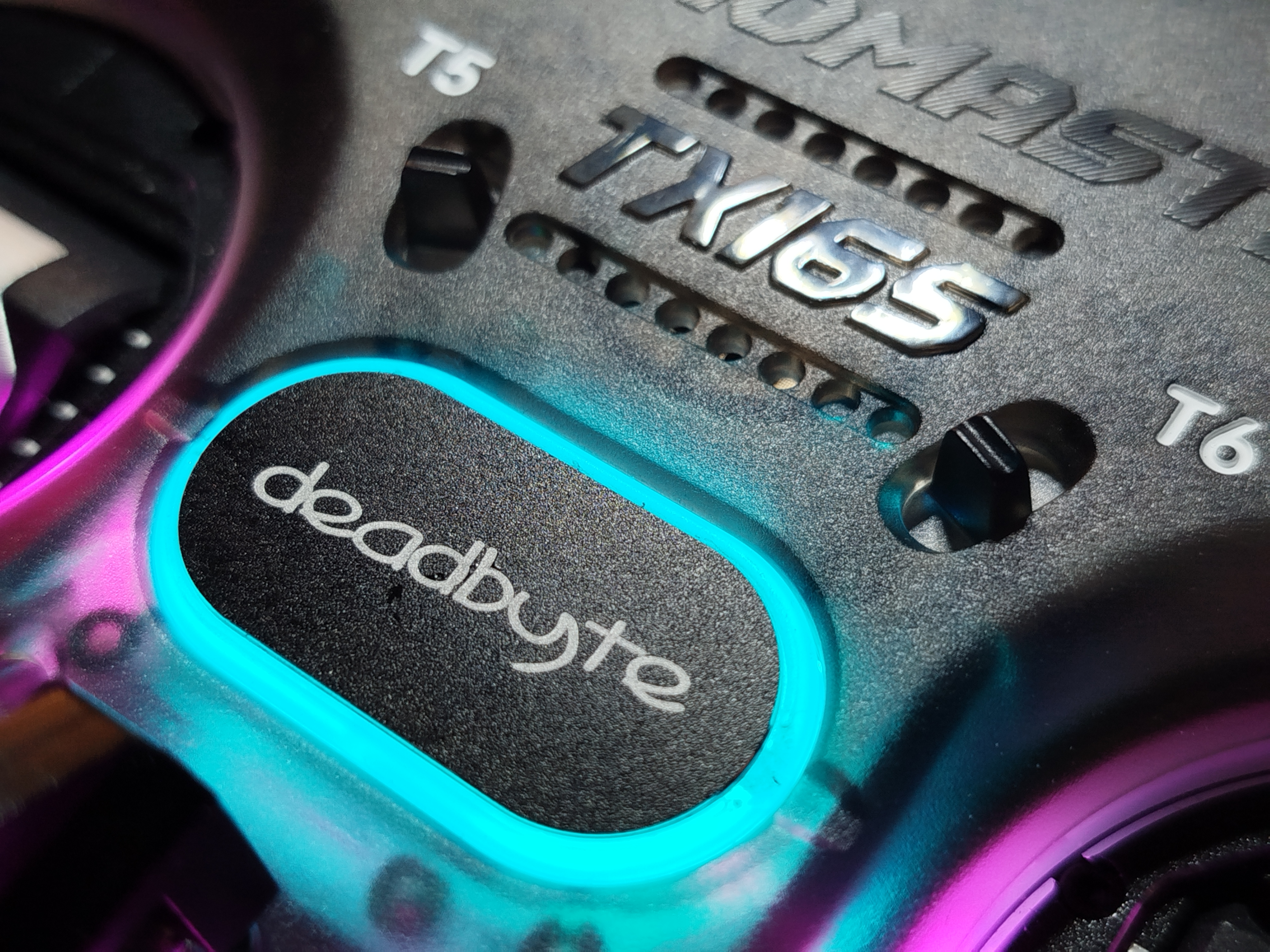 Shown above is my Charcoal TX16s MK3 with Cyan/Sapphire power LED, with pink gimbal LEDs (that also represent 1RSS and 2RSS dBm levels).
Here it is in action:
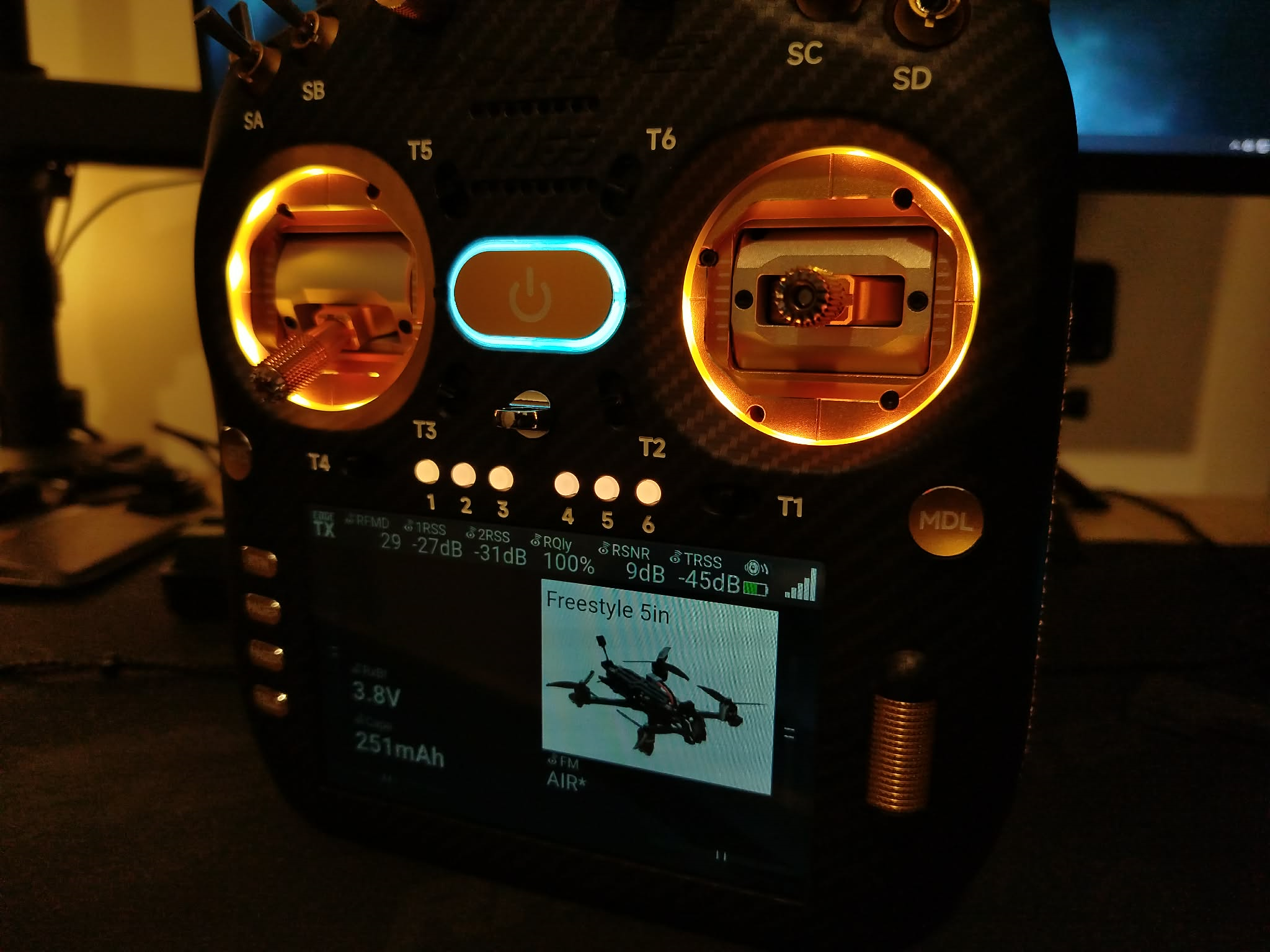
Here's a TX16s MK3 Max in Gold, with a white power LED:
 What colors are possible?
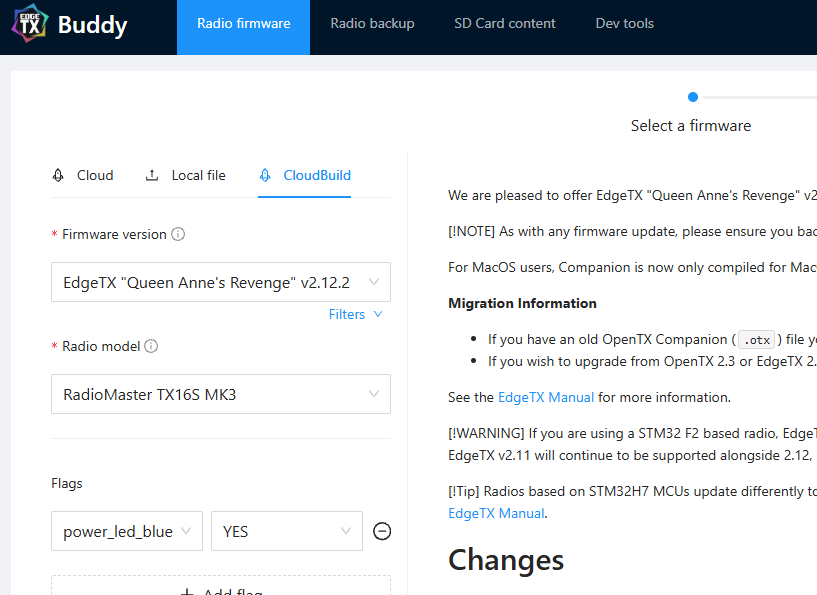
The green is standard, and you can get blue by using one of the build flags for the firmware via the EdgeTX Buddy.
 For the other colors, you'll need to write some code and compile the firmware yourself. I used GitHub CodeSpaces for this so I don't have to worry about any prerequisite packages and programming environment hassles (being on Windows). See the EdgeTX guide here.
Adding In the Other Colors
As for what needs to be edited, I first have to define the new colors I wanna add.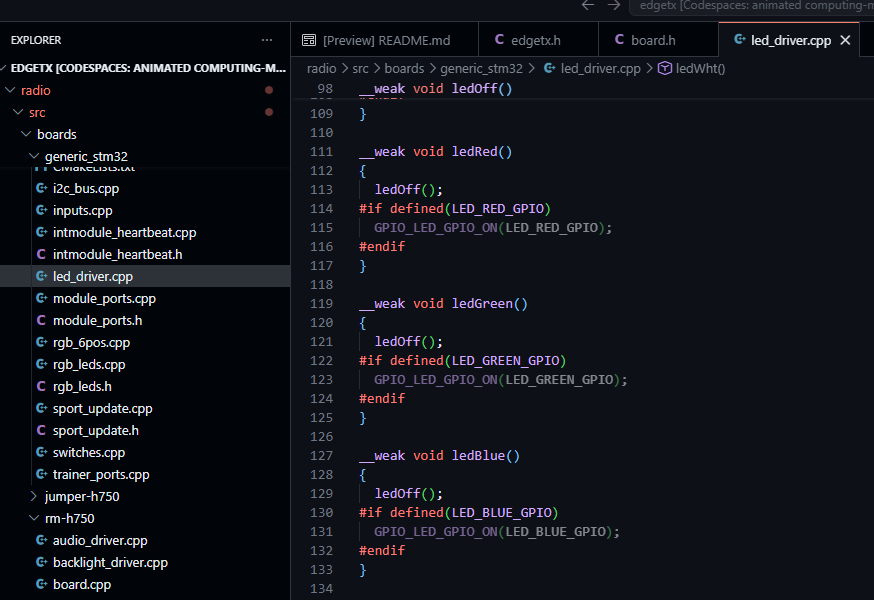 The way the power LED works on these RadioMaster handsets is that they're 3 LEDs in one package, with each color pin controlled by one GPIO on the MCU. If we want one color to be On, the others Off, we'd first have to turn them all off, then turn the GPIO for the color we want to High.
Other colors can be made available on an RGB LED by combining two or three colors, along with the brightness or intensity of the colors. Unfortunately, we cannot control the intensity or brightness on the Power LEDs (or at least I haven't figured that out yet).
And so, here are my additions:
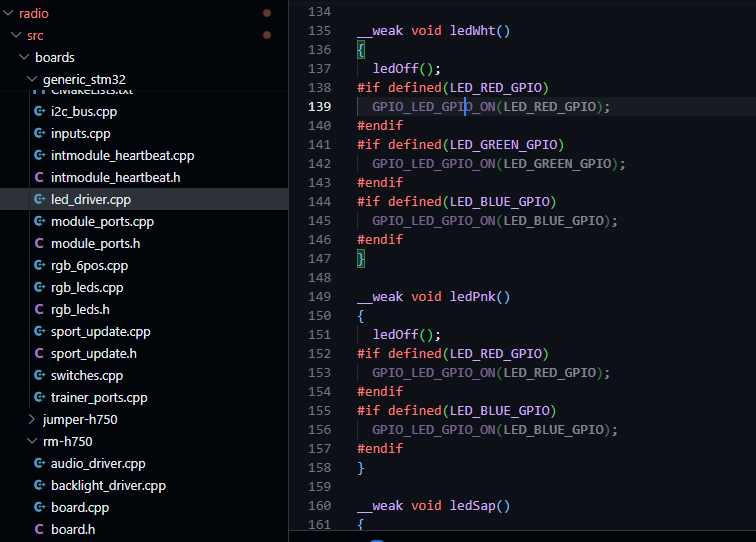 Basically, we're going to turn On two or three of the LEDs at the same time to get the other secondary or tertiary color combinations. I find White still a bit blue-ish/cyan at times, but that's just how RGB LEDs are. That's one reason there are RGBW LEDs. Yellow (the combination of Red and Green) still looks a lot more green than yellow, which is why I settled with White for the Gold TX16s MK3 Max. I find Pink still a bit purplish, but should still pass for pink, I guess. Cyan/Sapphire looks the most correct.
I do wish these Power LEDs somewhat work like the other customizable buttons on the handset, or they do but I'm just that rusty with my coding.
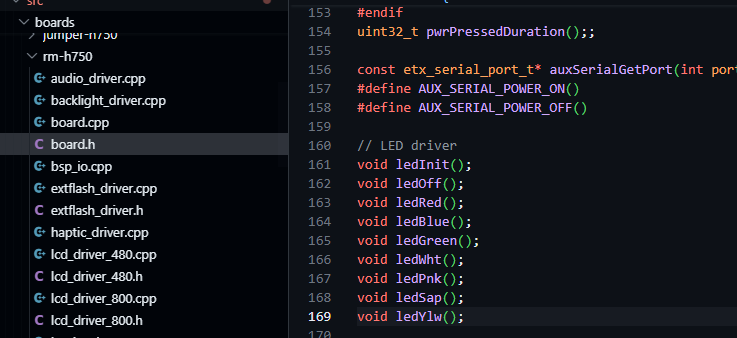
As for the rest of the changes, I defined these custom colors within the board header file:
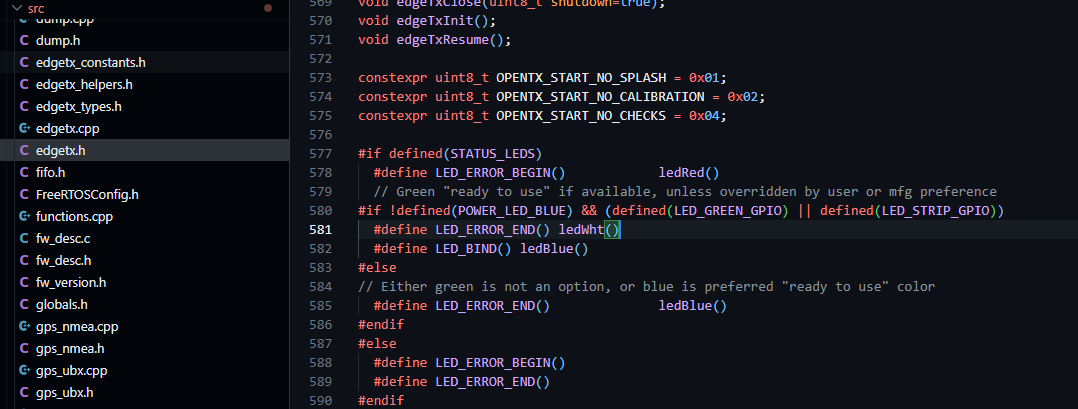
 And then I'd call the LED color function within the status LEDs function (here, I called ledWht() so that the Power button will be white once the handset is ready for use):
 Now, time to compile the firmware FOLLOWING the guide in the EdgeTX wiki I linked above. Here's the second command I used:
cmake -Wno-dev -DPCB=TX16SMK3 -DCMAKE_BUILD_TYPE=Release ../To flash the compiled firmware into my TX16s MK3, I simply downloaded the compiled firmware.uf2 from the /build folder and saved it into the Bootloader partition of the radio. It can be accessed by first turning off the radio, then pulling the two horizontal trim switches together and then pressing the power button. The screen prompt will ask that usb be plugged in. Two removable storage will show up on your computer. EdgeTX official guide is here.
"I just want the download links."
I compiled and saved a copy of the 4 new colors (White, Purple/Pink, Cyan/Sapphire, "Yellow") firmware UF2 into my Google Drive. You can download it from there and try it yourself! These are based off the EdgeTX 2.12.2 branch.
As for the Gimbal LEDs reacting to RSSI dBm values, they can be downloaded in my GitHub.
DISCLAIMER: Use the firmware at your own risk. I won't be held responsible for any damage to property these firmware or edits have caused.
If this helped you in any way, please consider supporting me.