

You can also follow these instructions to learn how to make images clickable for other Shopify's free themes.
Required: You must add a link to the slide button, and the slideshow heading will not display.
Please follow the step-by-step instructions below to complete the task.
Go to your Online store > Themes > Customize.
Open Slideshow section.
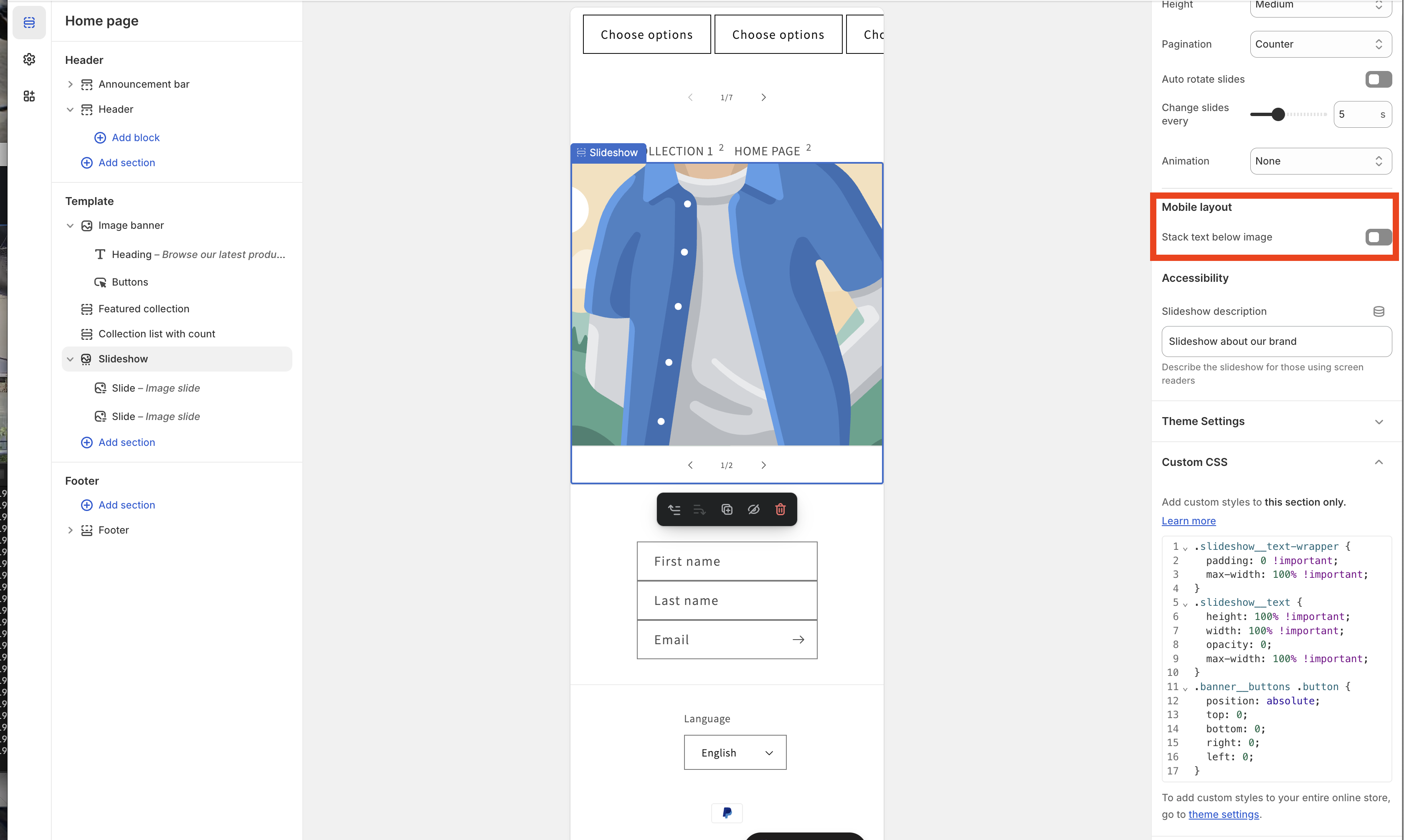
Paste the code below into Custom CSS of this section.
.slideshow__text-wrapper {
padding: 0 !important;
max-width: 100% !important; }
.slideshow__text { height: 100% !important;
width: 100% !important;
opacity: 0;
max-width: 100% !important; }
.banner__buttons .button {
position: absolute;
top: 0;
bottom: 0;
right: 0;
left: 0; }
Turn off 'Stack text below image' in the Mobile layout of the Slideshow to ensure it works correctly on mobile devices.
I hope my solution worked well for you!