

Hi everyone — thank you for supporting CPA Copilot.
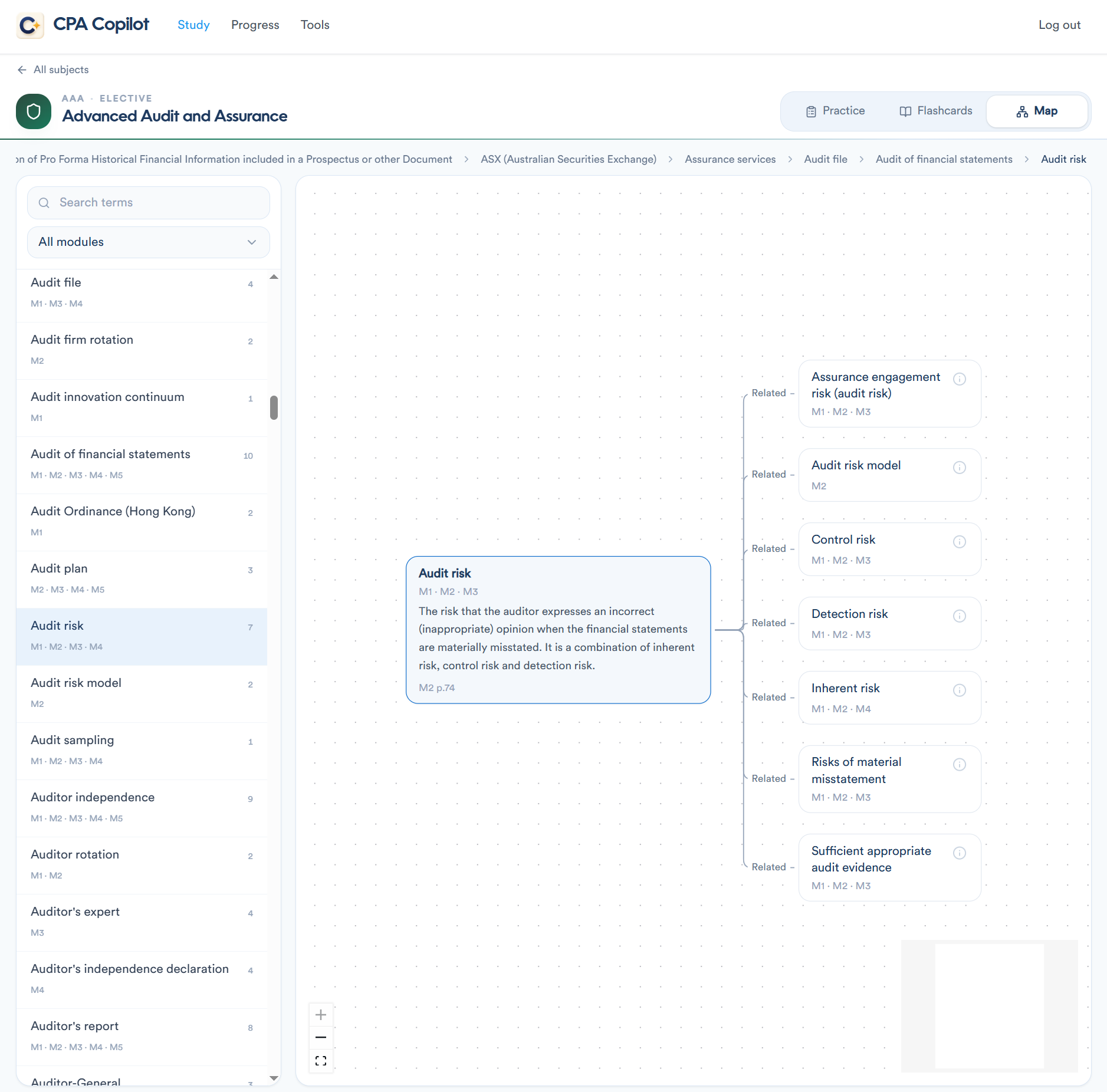
Map is now in beta. It’s a new study tool that shows how key terms in a subject connect — so you can see the syllabus as a network, not a pile of isolated facts.
Pick a term, read the definition, and follow the links (with study-guide page cites where we have them). It’s built from the same flashcard content you already use — no extra “AI textbook,” just the terms and explanations, mapped.
What’s included, and the catch
Map is in beta, same as Flashcards. Both are included in your current membership this semester — no extra fee.
That inclusion is for this semester only. After that, access to Map (and Flashcards) may sit on a different tier. If you’re already a member, use them now while they’re in your plan.
Where to find it
I’ve also redesigned Study so every tool for a subject lives in one place:
Open Study and pick your subject once.
Stay in that workspace.
Switch between Practice, Flashcards, and Map from the tabs at the top.
CPA Copilot remembers where you left off, so you can hit Continue next time.
The three study modes
Practice — CPA Australia–style MCQs, module by module, with instant feedback and timed sessions.
Flashcards (beta) — key terms and explanations, shuffled or A–Z, until they stick.
Map (beta) — see how those terms link. Maps appear as each subject’s flashcard set is ready.
Also there if you need it
Progress — scores, weak modules, and session history.
Tools — lease, long service leave, tax, financial instruments, and revenue calculators.
Try Map
Sign in → Study → pick the subject you’re sitting → tap Map.
Because it’s beta, some subjects will feel more complete than others, and a few edges may still be rough. If a link looks wrong, a subject’s map is missing, or you want a deck next — reply on this post. That’s how this gets better.
Your membership is what funds this. Thank you for being here — especially for trying the new stuff while it’s still in beta.