
This pertains to the new design interface that was soft-launched mid February 2026 and is slated to completely replace the old/classic design tool soon. I don't know how it was the old way, but with this new way there is an important step that is not intuitive but if not done will result in it not being treated as a template field.
Step #1
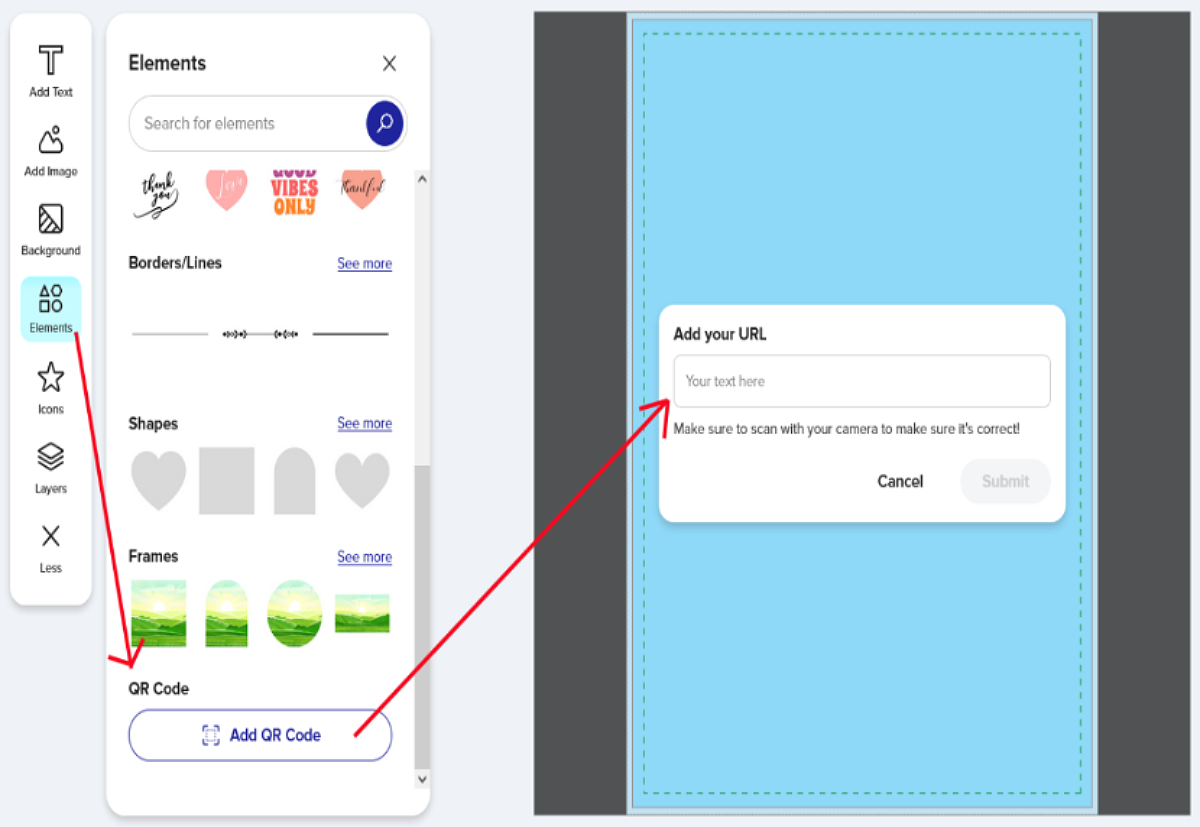
Select Elements from the left menu and click the button to Add QR code.
You then get a prompt to "Add your URL". This is where you enter your placeholder text/sample URL.
I added "placeholder text/URL customer needs to change" in the box.
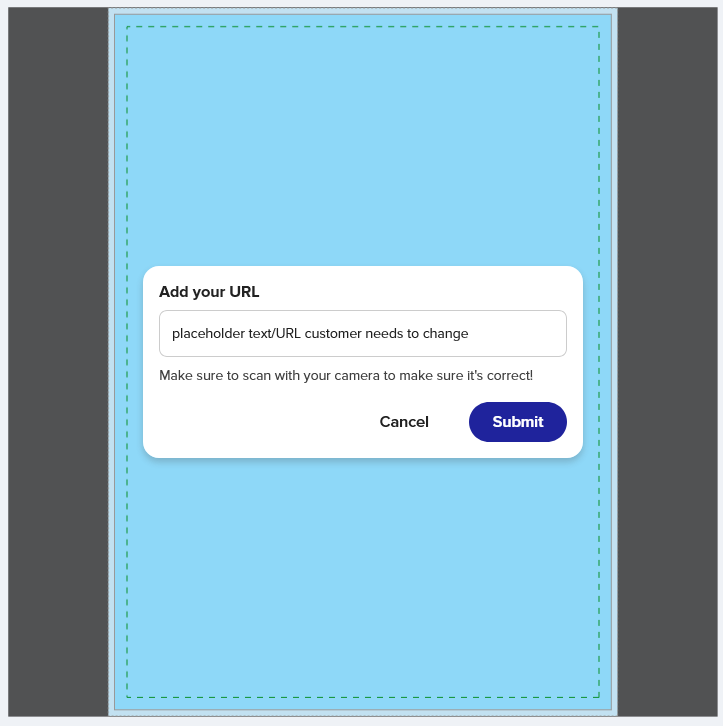 On clicking Submit, I get this:
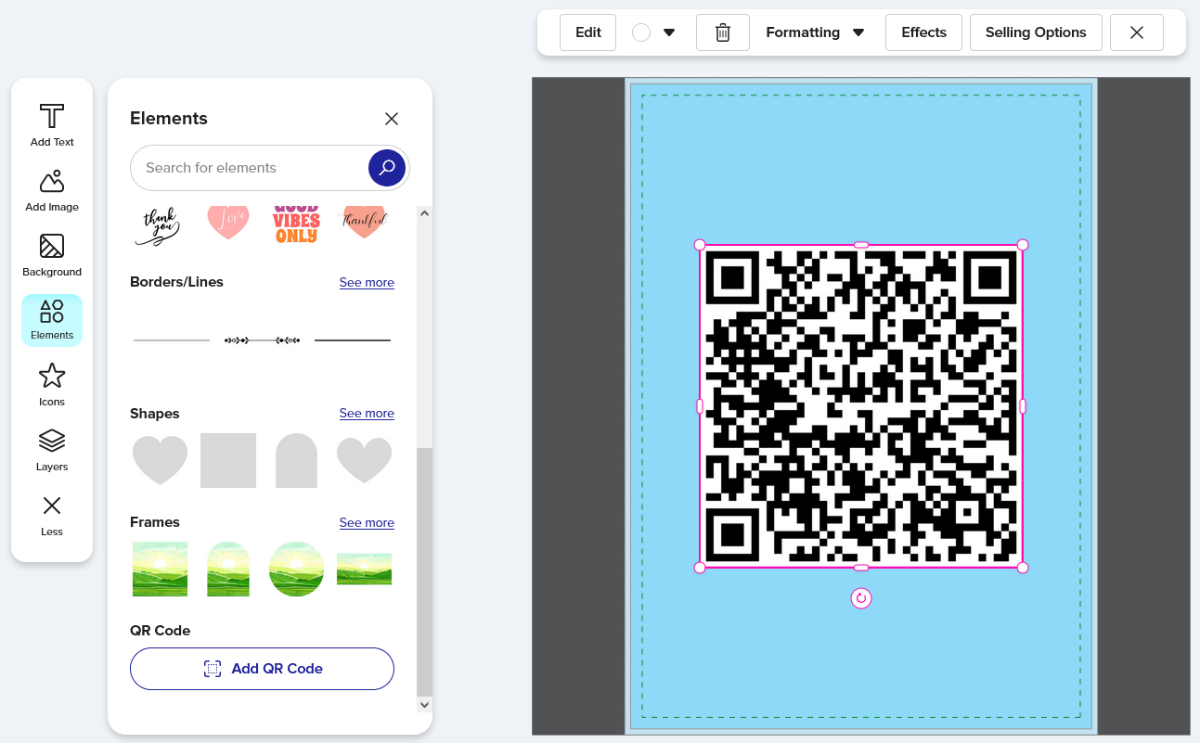 Great. That was easy. There's the QR code image so you think you're done. But if you stop here, the field for customers to change out the URL it points to will not be treated as template field. If they poke around some they can find how to change it, but better to have it as a classic template field so it shows up on the default Personalize your design/Edit panel they see when they first click to Personalize from the product page. So next step you don't want to skip:
Step #2
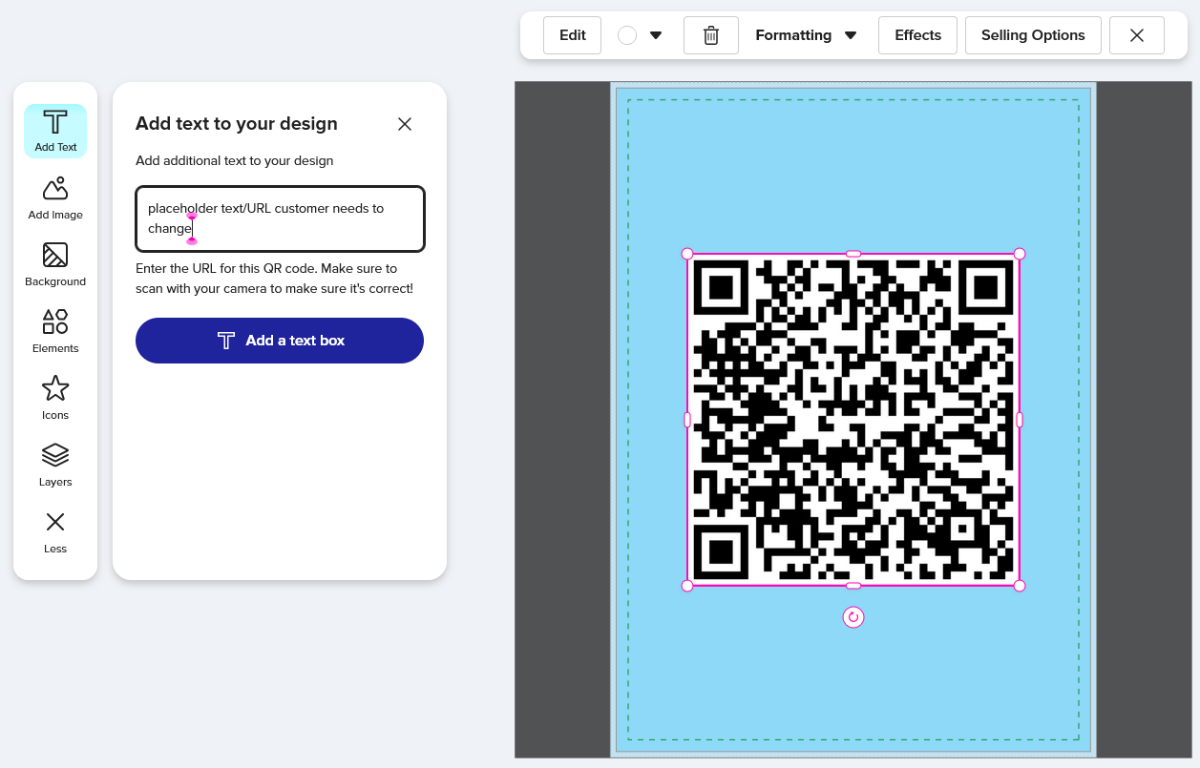
Select Add Text from the left menu. Now you'll see where your placeholder text entered above went.
Click into the text field or click on the QR image on the right.
 Step #3
Click "Selling Options" from upper menu and from the panel that opens on the left, click to "Make this a template object".
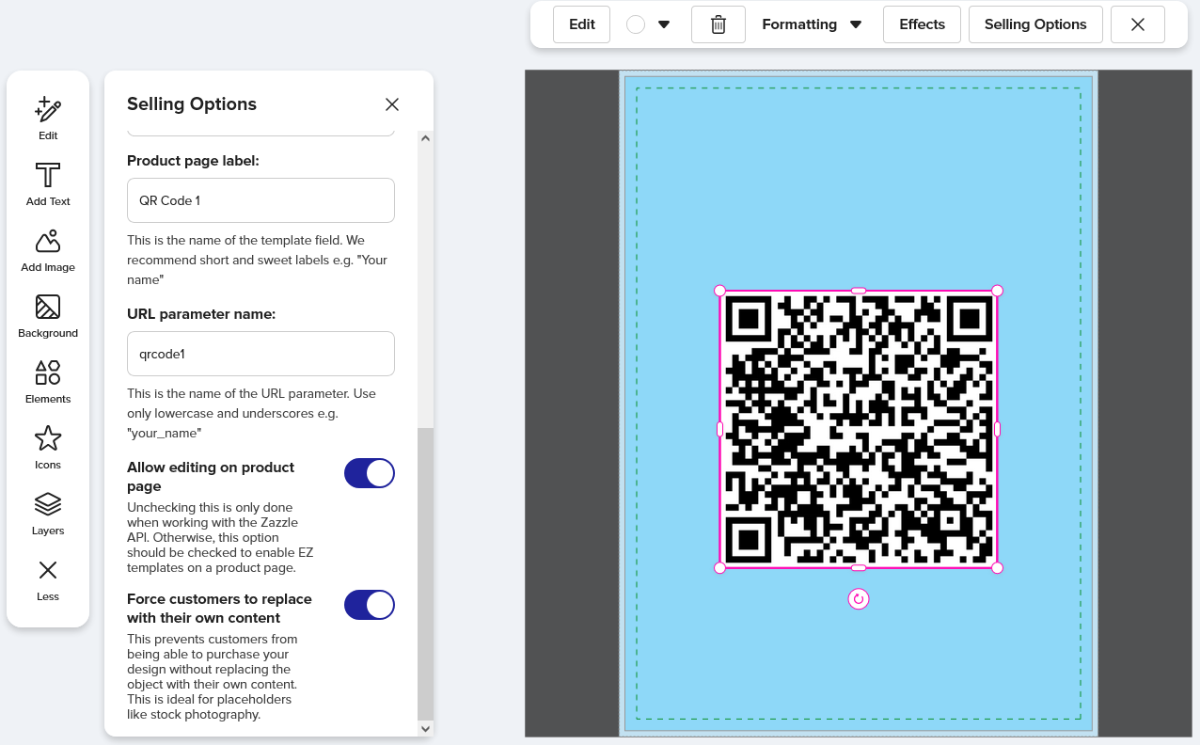
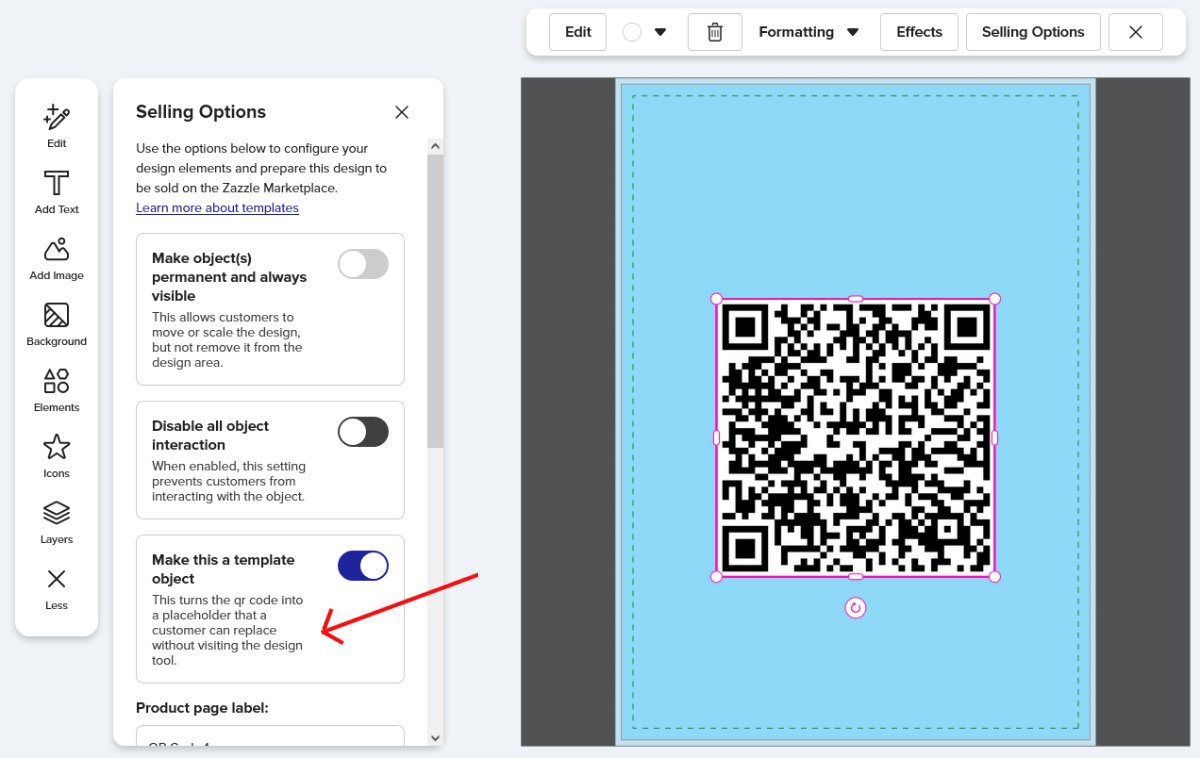 While you're here on this Selling Options panel, make sure it's set to allow editing on product page and that Force Replace is on. Both are toggled on as default but it's good to double check.
You can also enter a custom field label here though as of this writing, the labels don't show to anyone except mobile users.
 Once properly set as a template object and published, the customer will see this when they first click to Personalize from the product page:
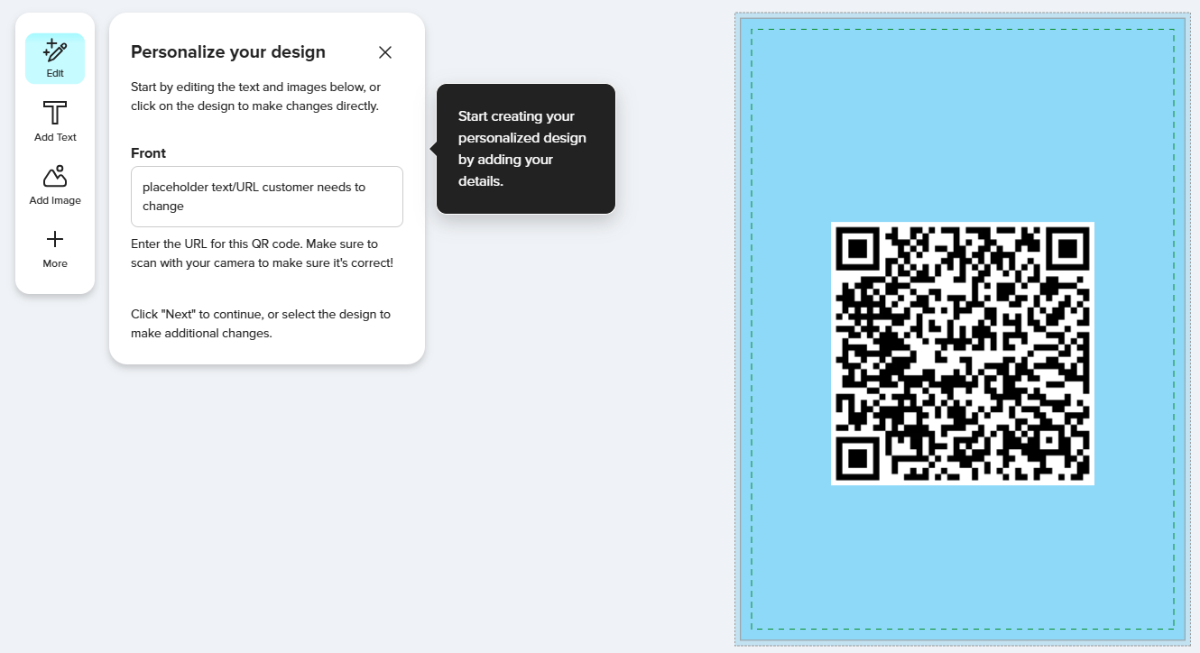 Perfect! It's very obvious to the customer that they need to enter their own URL here.
But if you overlook the step of manually making the placeholder URL a template field they'll have to poke around to figure out how to add their own URL. If not set as a template they can either click on Add Text from the main left menu or double-click on the QR image on the right where they'll get a little pop-up box to change the URL. Either of those ways is do-able but not intuitive so we can't count on the customer being able to figure it out. So this is a case where I think it is really important to set a field as a template to make it as easy as possible for the customer, but as the Designer, it's not an intuitive process either. Hence this post. Wanted to make a loud & (hopefully) clear FYI that adding a QR code & following the prompt to enter your dummy URL is not enough. You have to then manually set it up as an actual template field.
Further news as of mid/late February that was not officially announced by Zazzle is that they are now automatically replacing fake QR code template placeholder images Designers may have used in the past with their own generated image that actually works as a scannable QR code after the customer edits the provided template field for it.
See these two posts in the Zazzle Community Forums:
Zazzle Removing QR Codes and Replacing With Their Own...
Very disappointing Zazzle intervetion
So, if you included a template image with the intent for users to replace it with their own actual QR code image they generated elsewhere, and the Zazzle bots identify it as a QR image, it's on track to be replaced with an actual working QR image generated by Zazzle where the customer needs to input the URL it points to.
This isn't entirely a bad thing. I have in the past tried out "free" QR code generators. Some are pretty cool, letting you choose the colors and design pattern. The catch is that most of them have fine print that limit their use to either a brief time period or to number of times they can be scanned. I've seen stories from real-life brides-to-be who didn't realize this and ended up with save-the-dates or invites they couldn't use unless they begrudgingly paid for a subscription to keep their QR code image active. So Zazzle is actually providing a valuable service here in generating & "hosting" these codes at no additional cost to the customer. Whether you're in the wedding niche or doing business products, I think this is marketable feature - no-hassle QR codes that don't entail using a third-party generator or any extra cost.
*Link to forum post on this topic.
~ Col's Creations
February 24, 2026