

Round Announcement UI — Version 1.0 (Final Release)
Round Announcement UI is a complete HUD replacement for all in-match visuals, building upon and expanding what began as Graffiti UI.
Now out of beta, version 1.0 introduces a fully modular design — allowing you to mix, match, or remove any component — alongside multiple new visual styles.
Available Themes


Grunge
A gritty concrete-textured design with CRT artifacts, screentones, and paint splashes. Originally introduced in Graffiti UI and now refined for full release.
Purple Wild
A textured graffiti wildstyle font with purple tones, colourful paint splats, and spray-paint accents. Also carried over from Graffiti UI with improved contrast and readability.
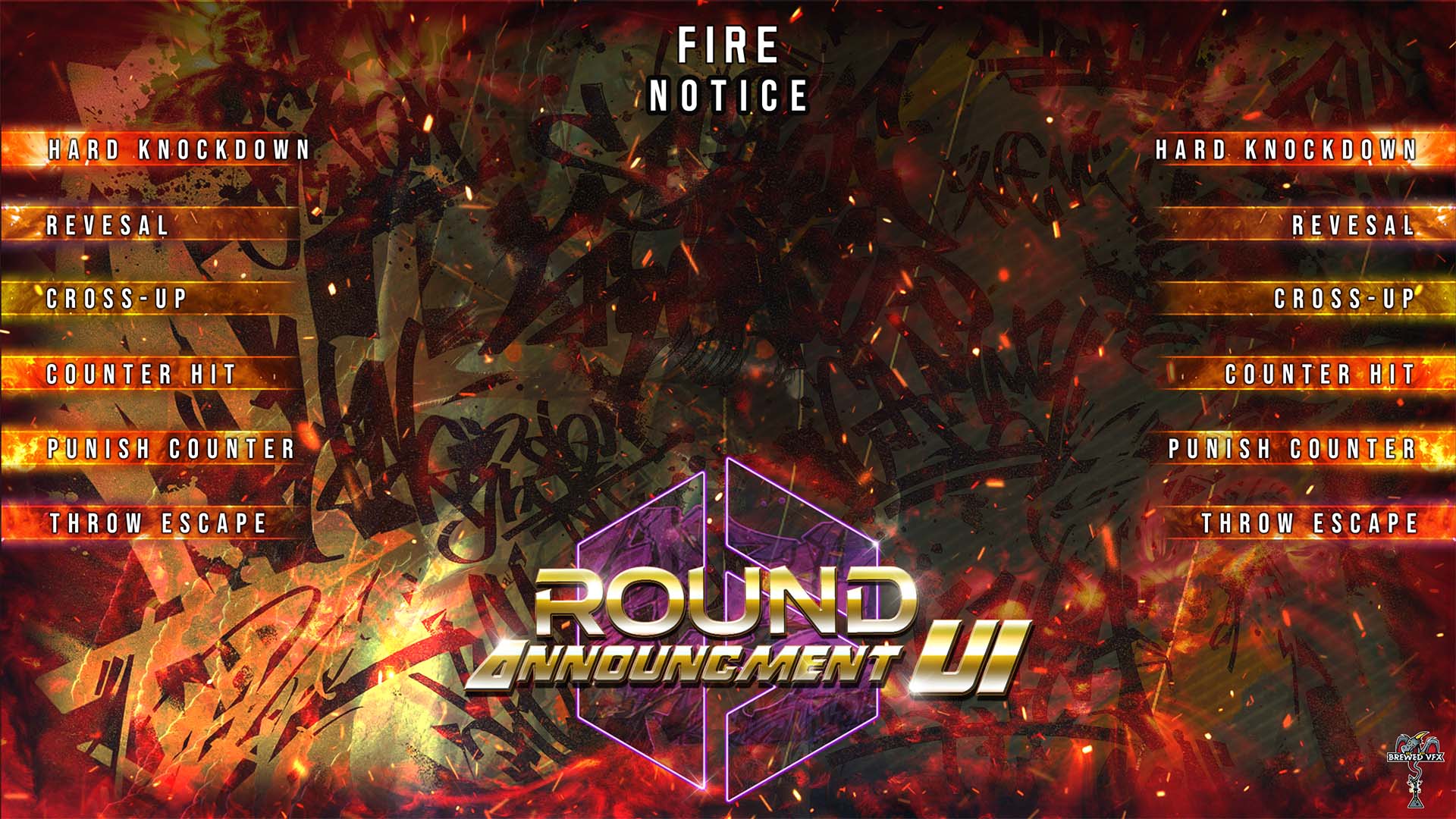
Fire
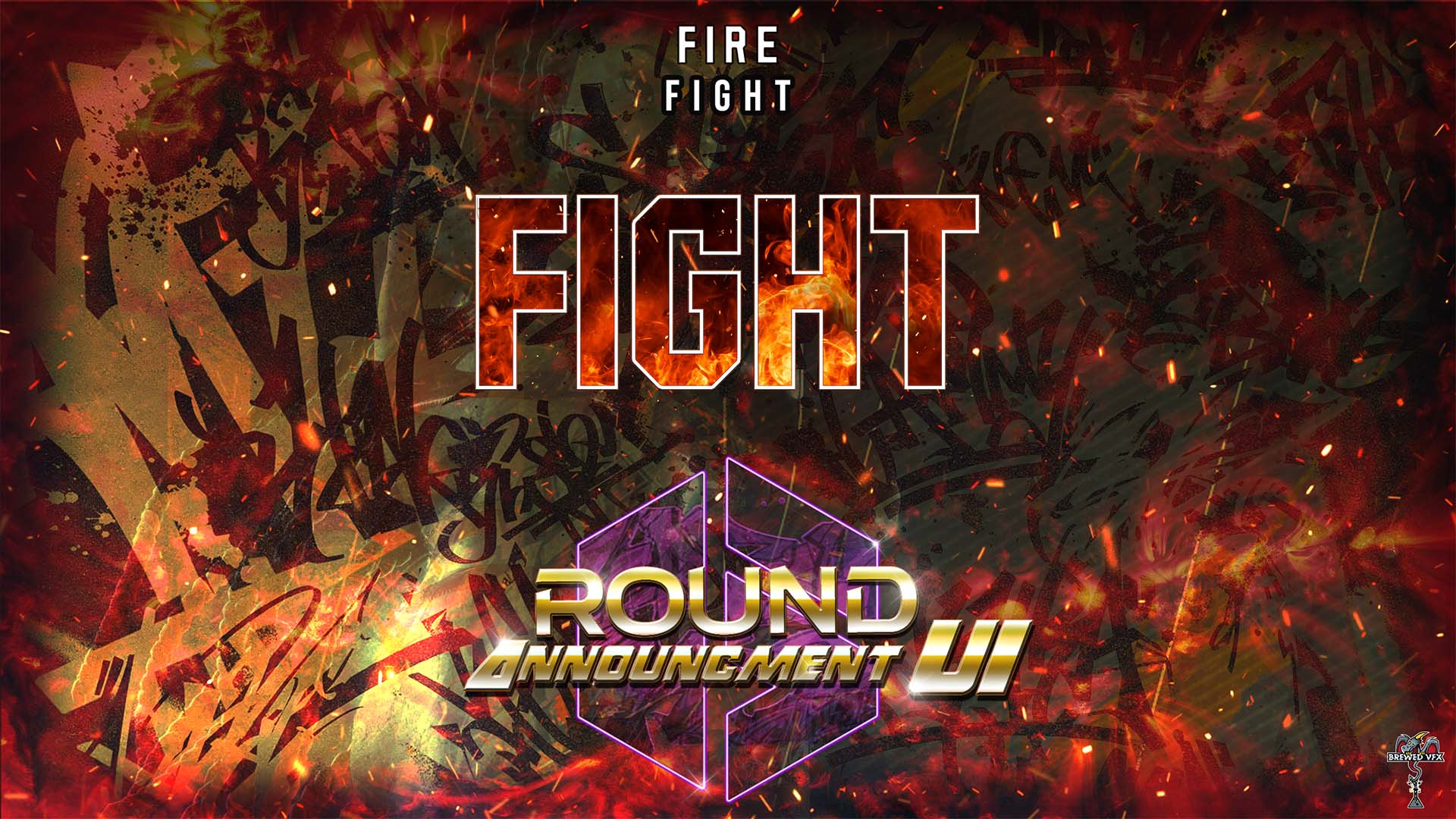
Burning red-orange textures with white outlines, orange glow, and fiery embers. Completely rebuilt from the ground up to replace the earlier beta version.
Neon
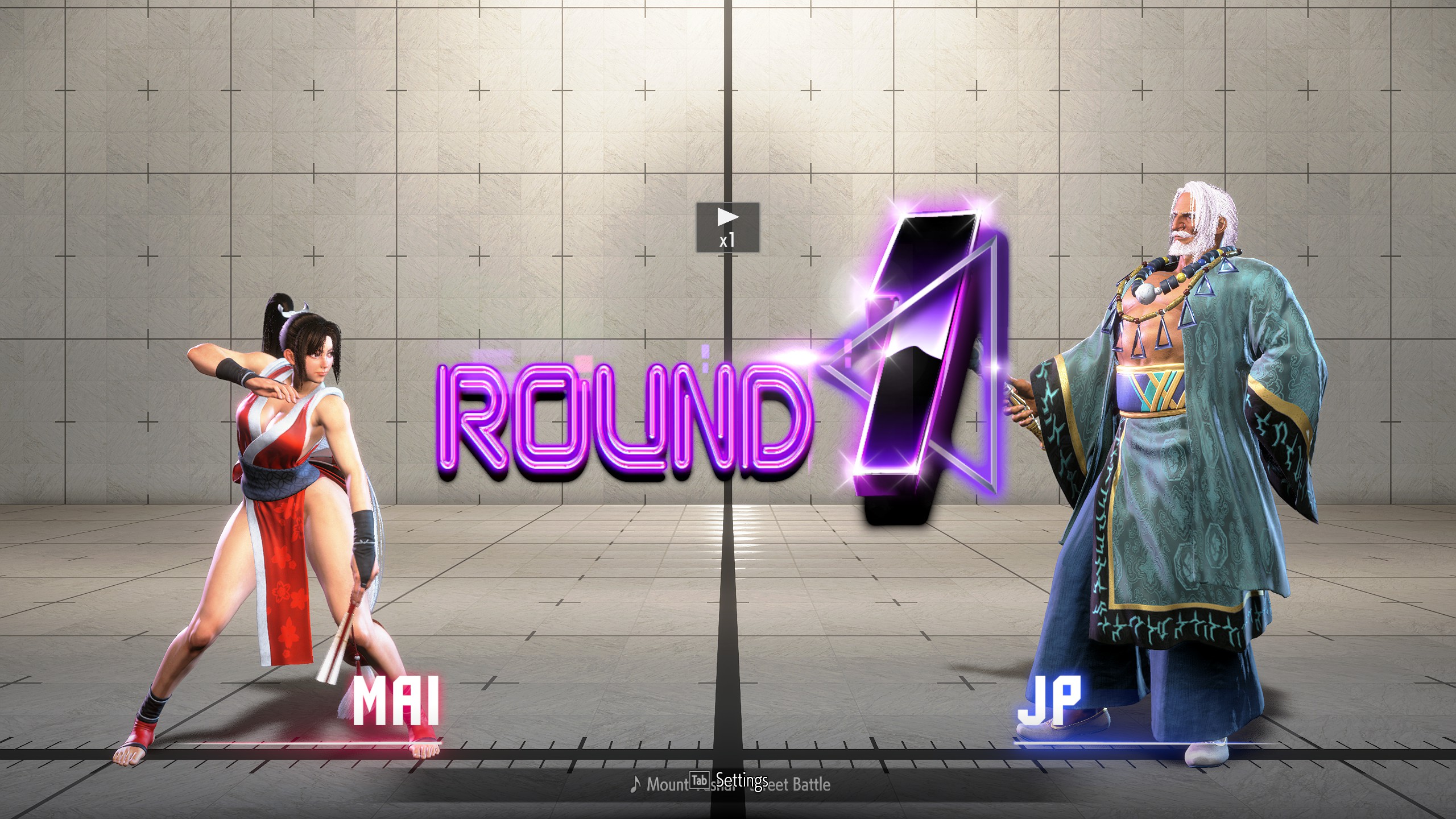
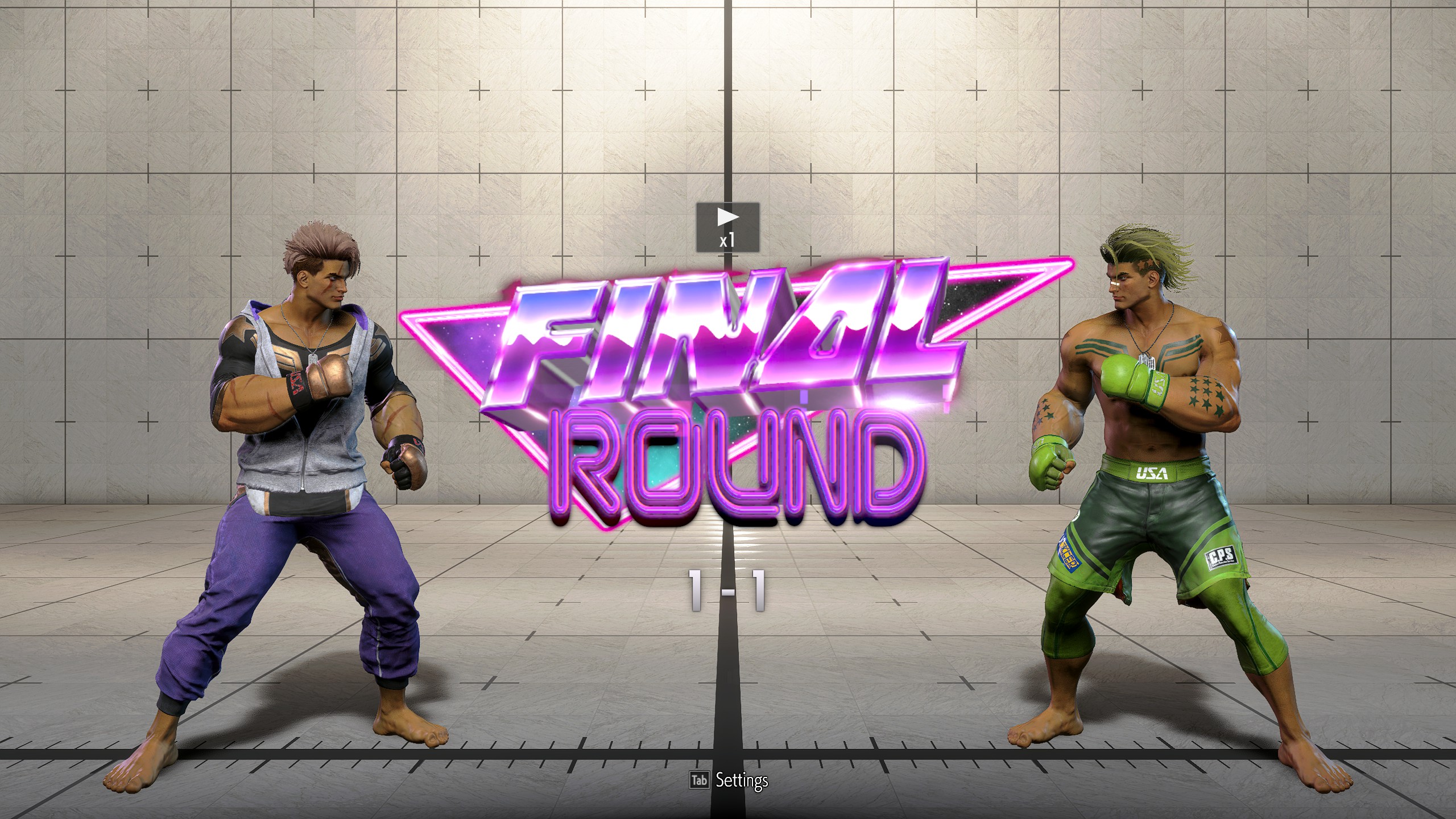
A new 80’s-inspired retrowave style, featuring purple neon tones with reflective chrome numbers — bright, bold, and clean.
Outline
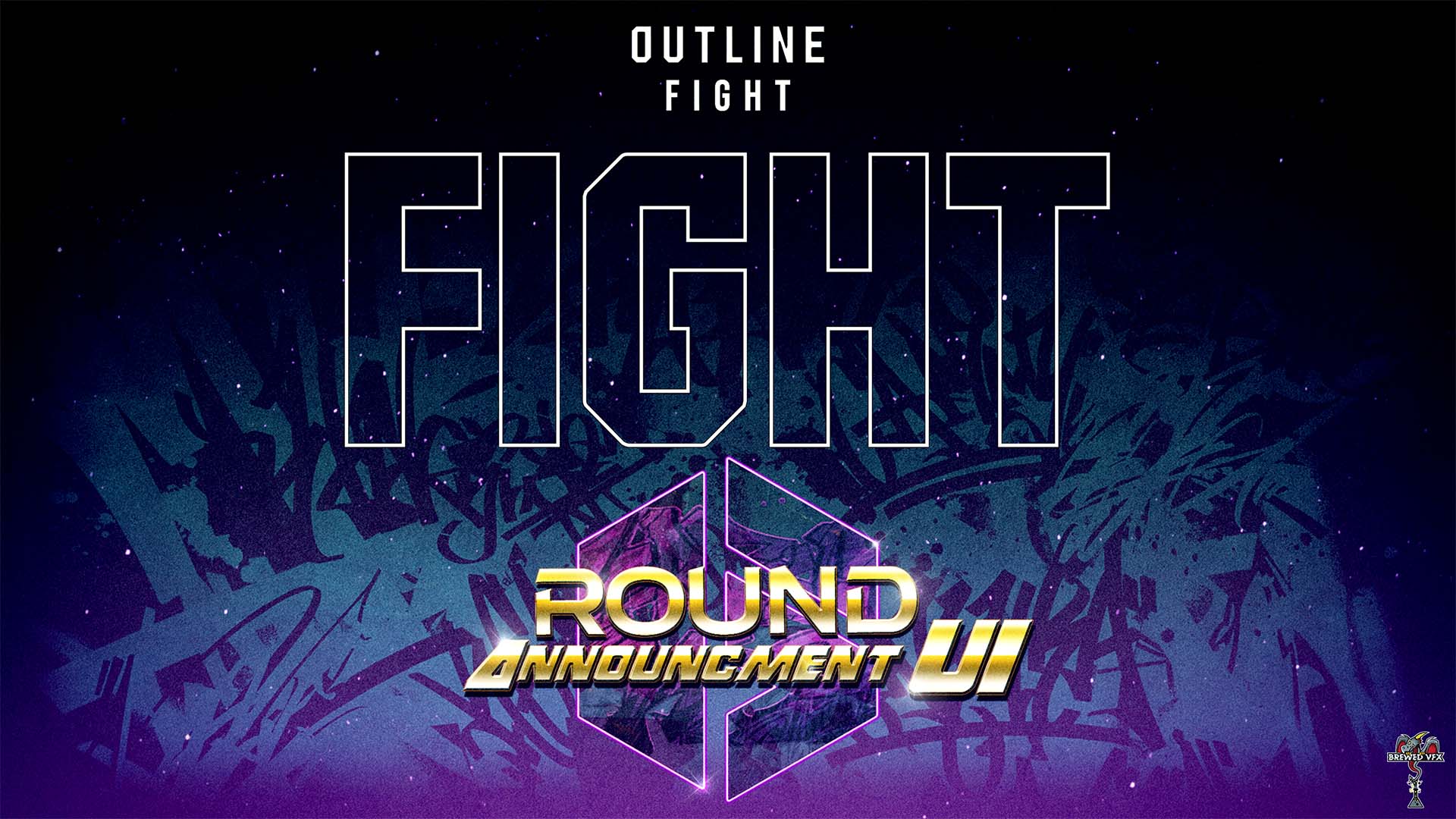
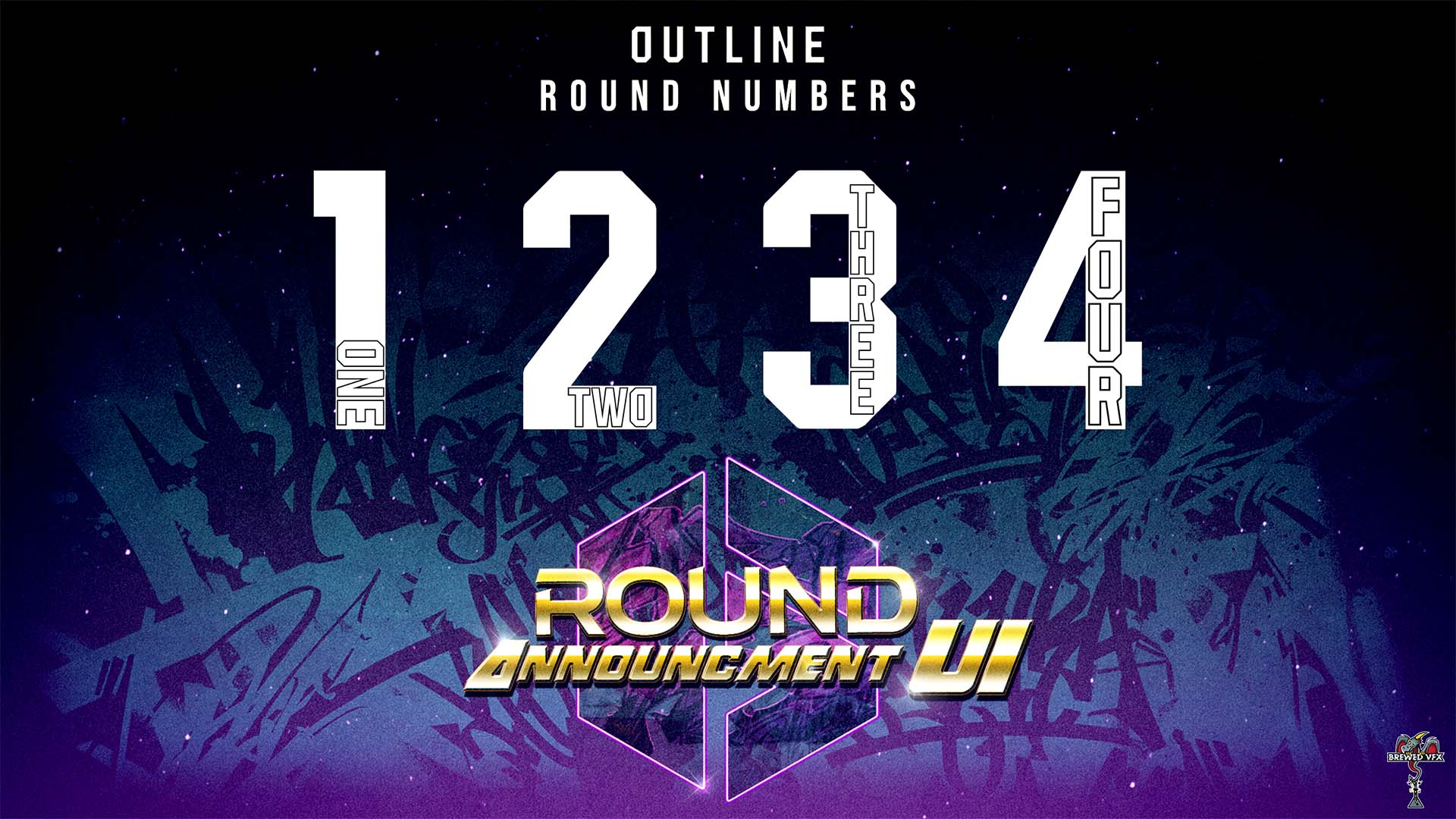
Another new addition — a transparent, white-outlined version of the SF6 font for minimalist clarity and maximum visibility.
What’s New in Version 1.0
Fully Modular System — every UI component can be toggled individually.
Theme Mixing Supported — combine Grunge, Neon, Fire, etc., or disable any element entirely.
Legacy Graffiti Beta included as an optional preset for those who prefer the original look.
Expanded HUD Coverage: now includes more in-match and overlay elements than ever before.
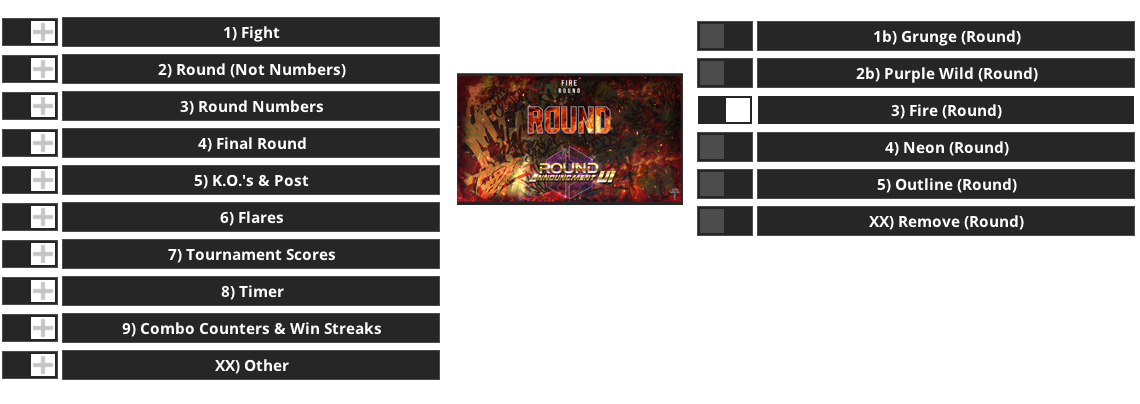
Components Covered
Fight
Round
Round Numbers
Final Round
Flares
Loading Screens
Scoreboards
Hit Counters
SA Counters
K.O. & Post Text
Win Streak
Notices
Operation Type
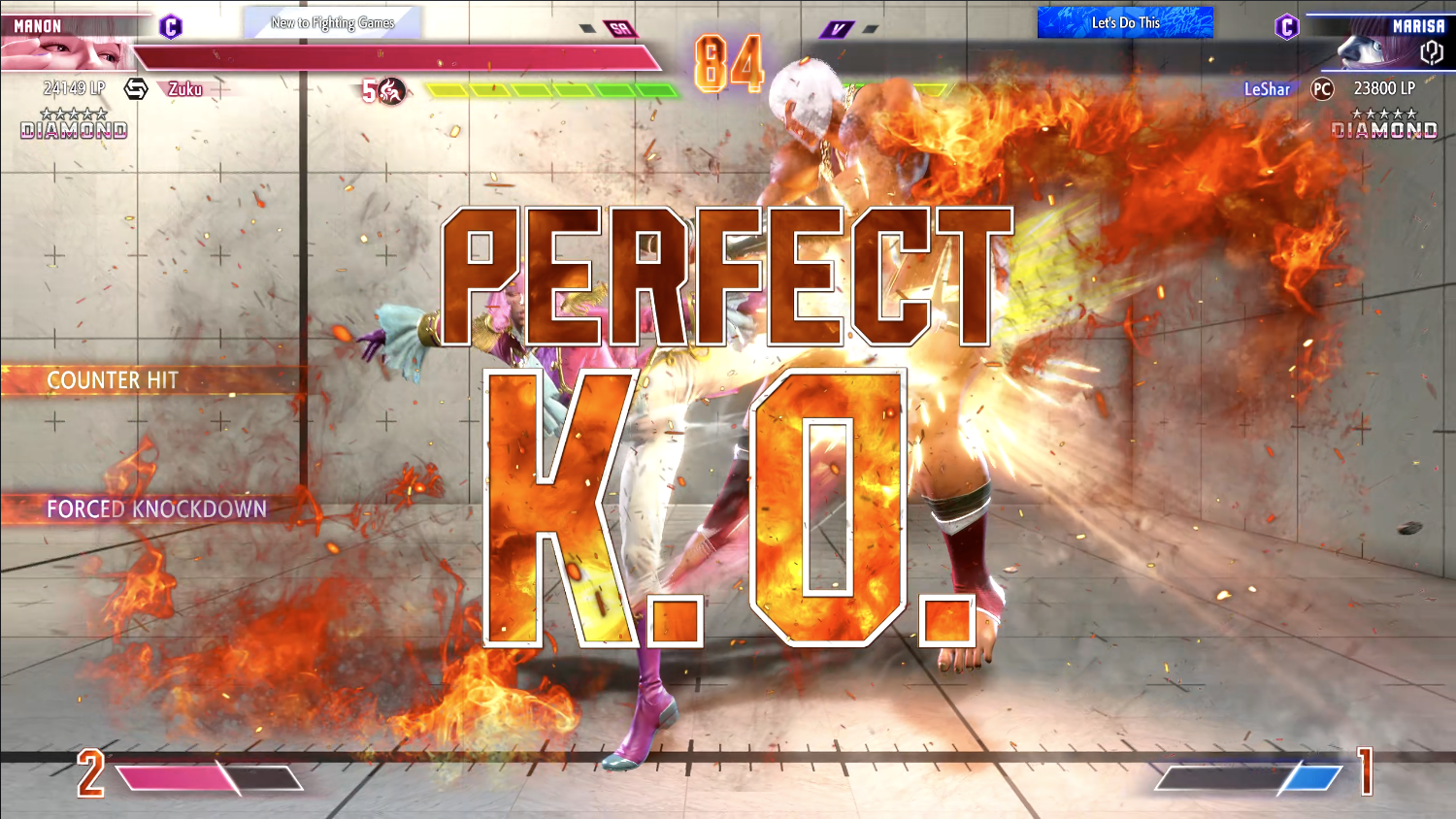 All styles work across every game mode — World Tour, Battle Hub, and Fighting Ground — with subtle interface variations where appropriate.
Installation Instructions
1. Download and Install Fluffy Mod Manager
Get the latest version here:
👉 Fluffy Mod Manager (Nexus Mods)
2. Set Up Fluffy Mod Manager
Launch Fluffy Mod Manager.
Ensure it’s updated to the latest version.
3. Install the Mod
Download the mod
.zipfile from this page.Drag and drop it into the Mod Manager window.
4. Activate the Mod
In Mod Manager, go to Others > Misc.
Locate the mod and toggle it ON.
5. Customise the Mod
Choose a Full Theme to apply all elements from one style,
orMix and match individual components — e.g., Fire K.O. with Neon Timer, or Outline Fight with Grunge Round.
You can also disable individual elements for a clean or minimalist setup.
Notes
All Graffiti UI Beta users can safely remove the old version before installing this.
All previous themes (Grunge, Purple Wild, Fire) are included as selectable options.
New modular structure is future-proof for upcoming add-ons and theme packs.
Link to mod page