

AV TOOLS PROShopAV Tools Pro — Complete Desktop Design Suite | Desktop App plus Excel Workbooks you need
AV Tools Pro — Complete Desktop Design Suite | Desktop App plus Excel Workbooks you need
$395
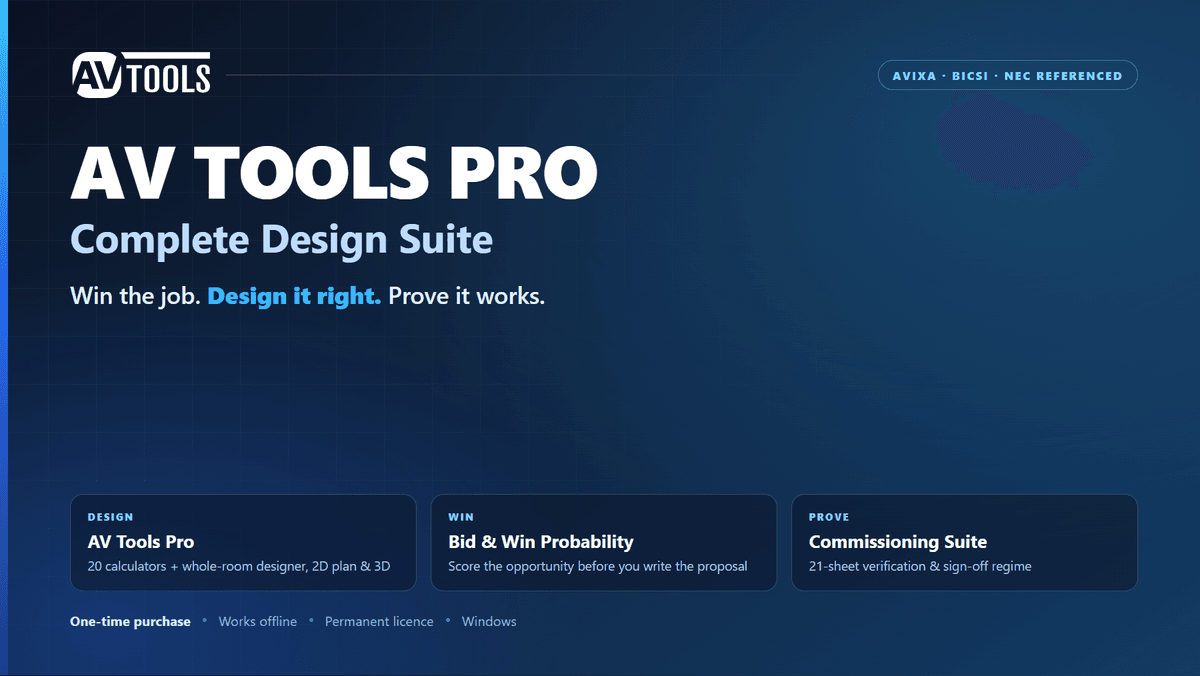
AV Tools Pro — Complete Design Suite
Win the job. Design it right. Prove it works.
Three professional tools that cover an AV project from first enquiry to signed handover. One payment. Yours permanently.
WHAT YOU GET
🖥️ AV Tools Pro — desktop application (Windows)
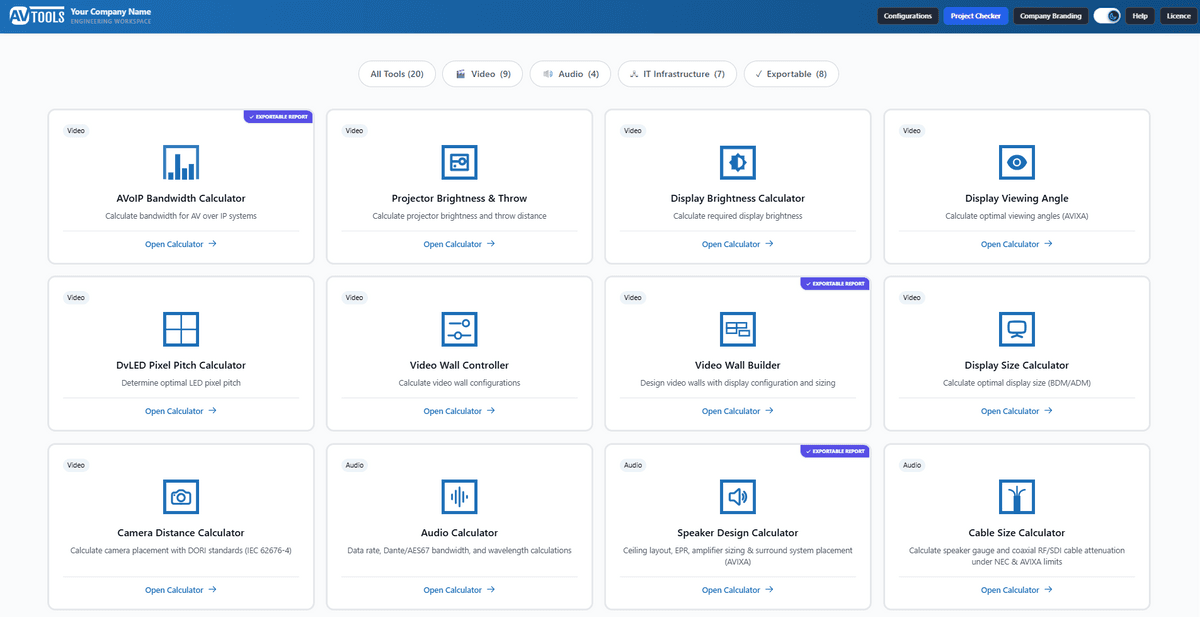
20 engineering calculators plus a room designer that sizes the whole system at once.
📊 Bid & Win Probability Tool — Excel workbook
Score an opportunity before you spend three days writing a proposal for it.
✅ Commissioning & Verification Template — Excel workbook
A 21-sheet acceptance regime so handover is evidence, not assurances.
WHY YOU NEED IT
Most AV design still runs on inherited spreadsheets, a calculator, and memory of how the last room turned out. That works — until a client asks why the display is that size, until a bid is lost and nobody knows which part failed, until a handover stalls because nobody wrote down what "working" meant.
This package replaces all three habits with something you can defend.
1. DECIDE WHETHER TO BID
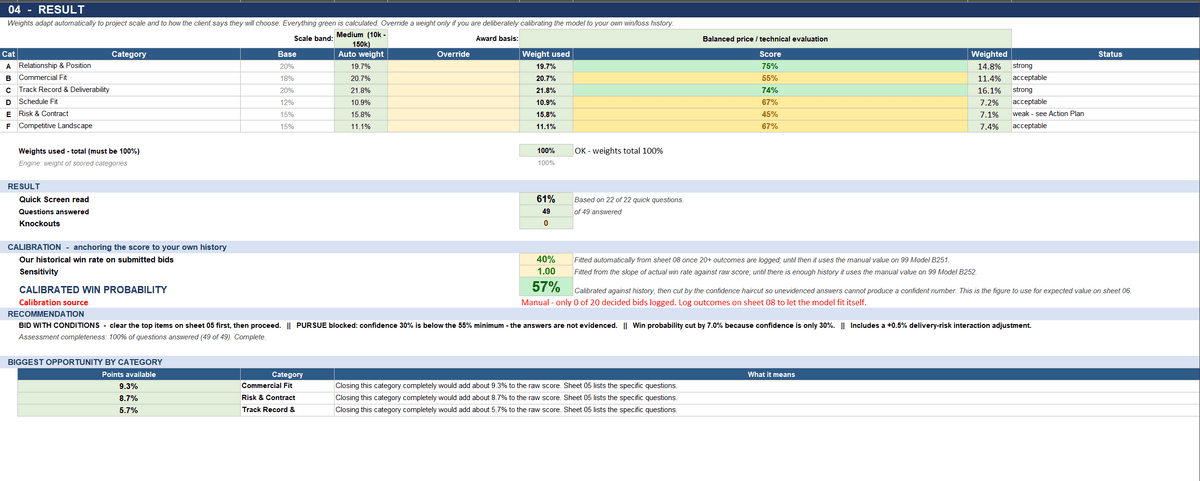
Answer a structured set of questions and get a score against the award basis and contract size.
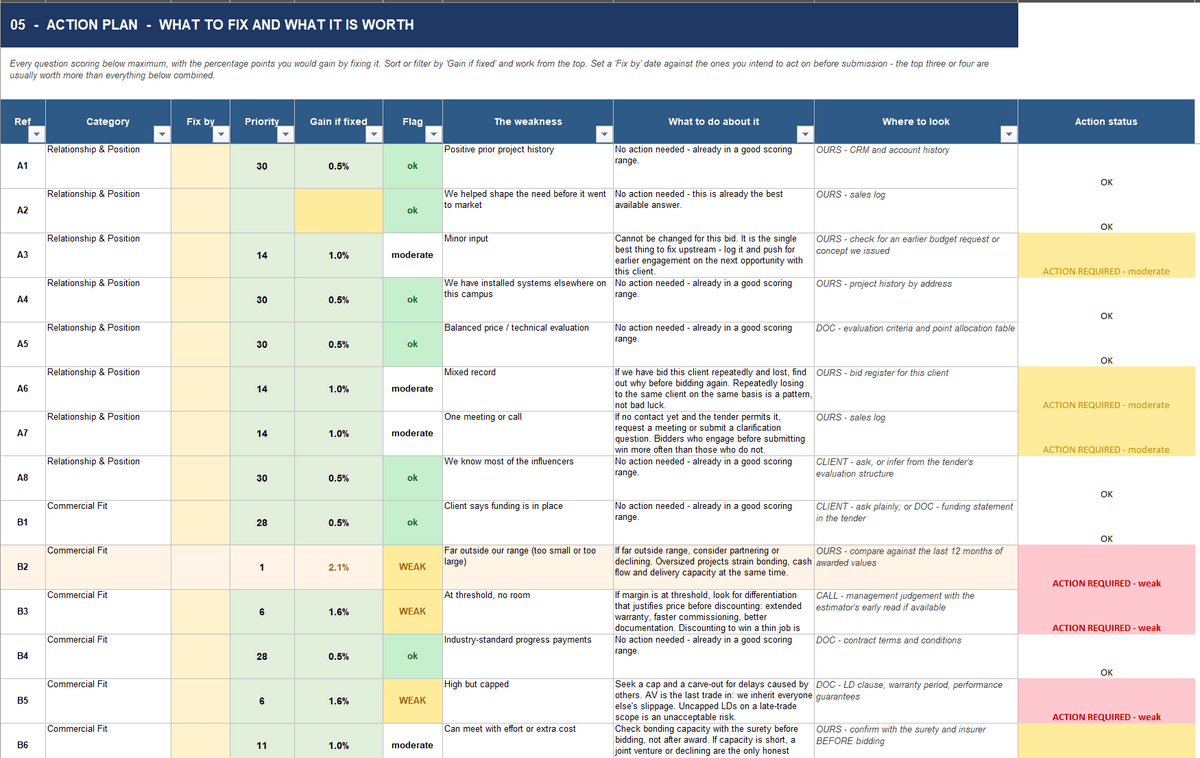
The useful part is the "gain if fixed" figure on every weakness. You don't just learn your reference package is thin — you learn what fixing it is worth, so your last two days go where they change the outcome.
You get a prioritised action plan, an executive brief costed at your own blended rate, and a decision record.
The prediction log is what compounds. Every bid gets recorded against what actually happened, so after a dozen opportunities you're using a model calibrated to your market — not a generic one.
2. DESIGN THE ROOM
Twenty calculators covering the questions you actually get asked:
• Video — display size to AVIXA DISCAS (BDM and ADM), viewing angles, projector brightness and throw, DvLED pixel pitch, video wall builder and controller capacity
• Audio — speaker design with surround layout to ITU-R BS.775-3 and Dolby Atmos, EPR amplifier sizing, RT60 from room materials, DSP gain structure, cable gauge to NEC and AVIXA loss limits
• Infrastructure — PoE budgets with cable loss, rack cooling to ASHRAE, rack elevations to EIA-310-E, conduit fill to NEC Chapter 9, UPS sizing, IP schedules, Wi-Fi coverage and capacity
• Networked AV — bandwidth for ST 2110, SDVoE, NVX, Dante AV and more, checked against your actual switch uplinks
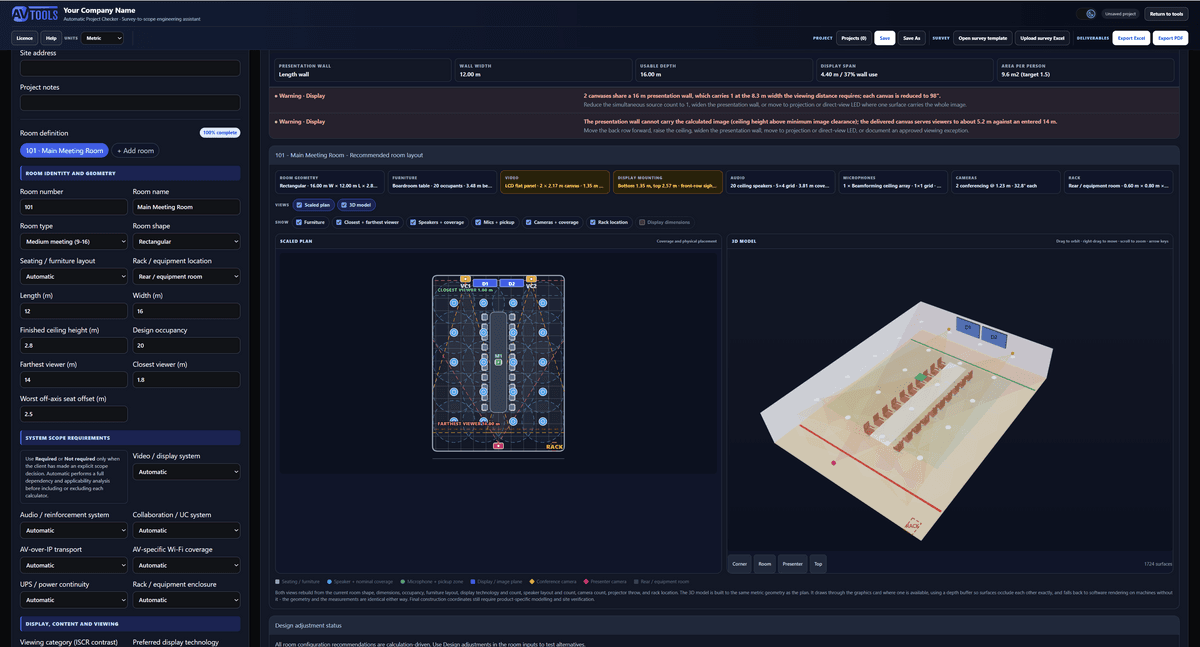
Then the Project Checker does what no calculator can — it designs the whole room at once.
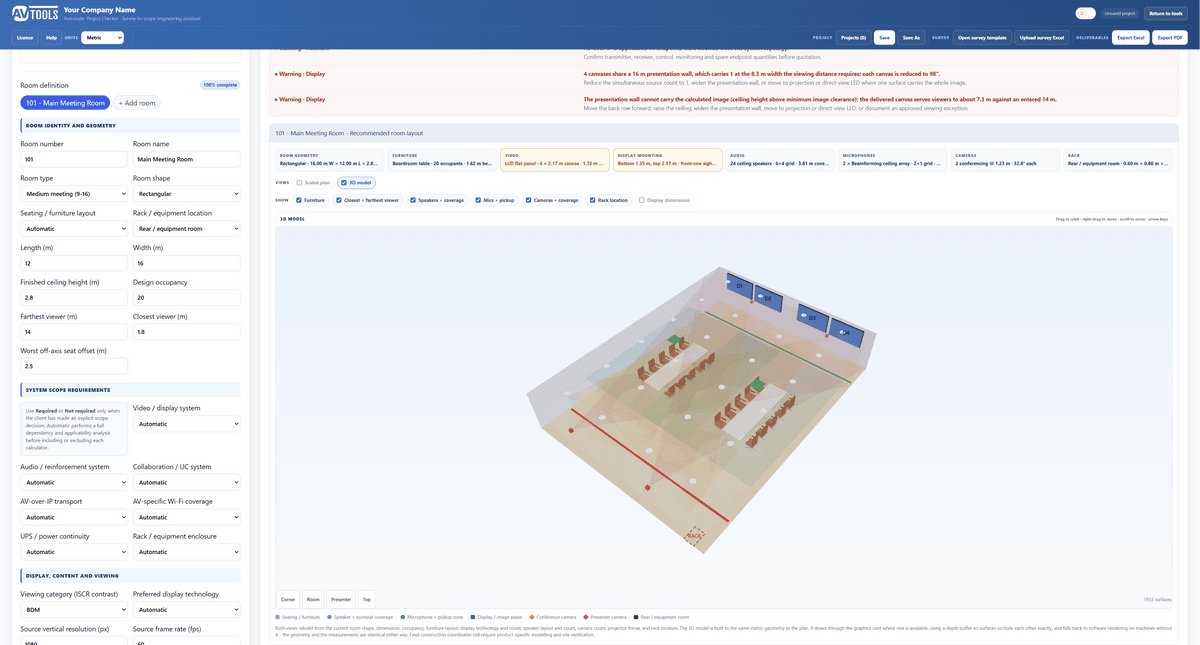
Describe the space and how it's used, and it sizes display, audio, video, control and infrastructure together, so the display size, the mounting height, the loudspeaker count and the rack that has to hold it all agree with each other.
It draws the result in scaled plan and 3D, with real coverage lobes for microphones, cameras and loudspeakers. It tells you when the rack won't fit, when the chairs leave no circulation, when the display is wider than the wall.
Then it exports a branded PDF for the client and a working Excel for the estimator.
Multi-room job? Fill in one row per room in the included site survey workbook, import it, and the whole project is designed at once.
3. PROVE IT WAS BUILT RIGHT
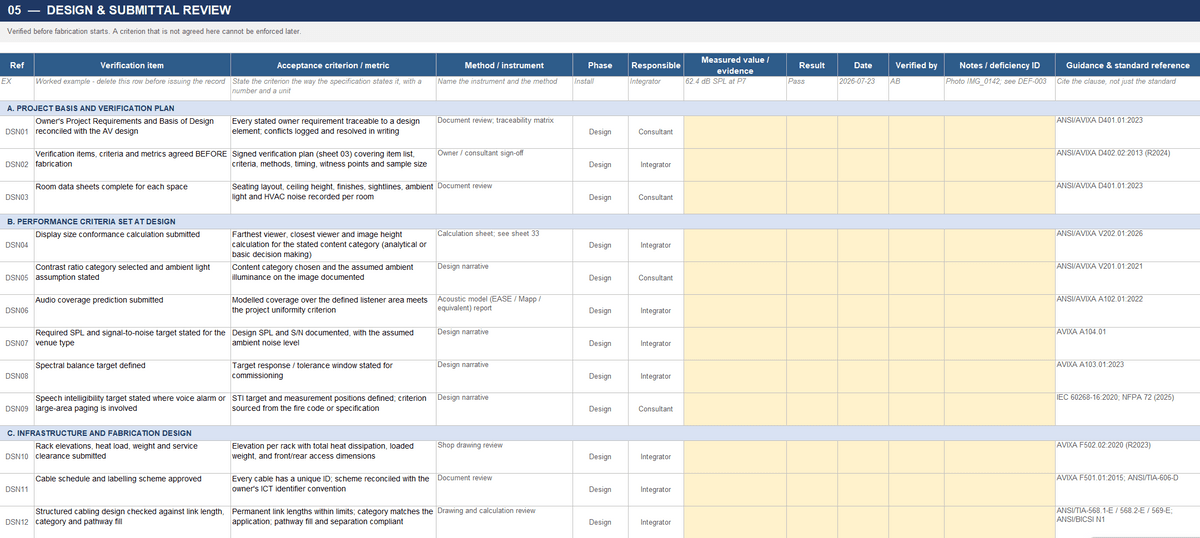
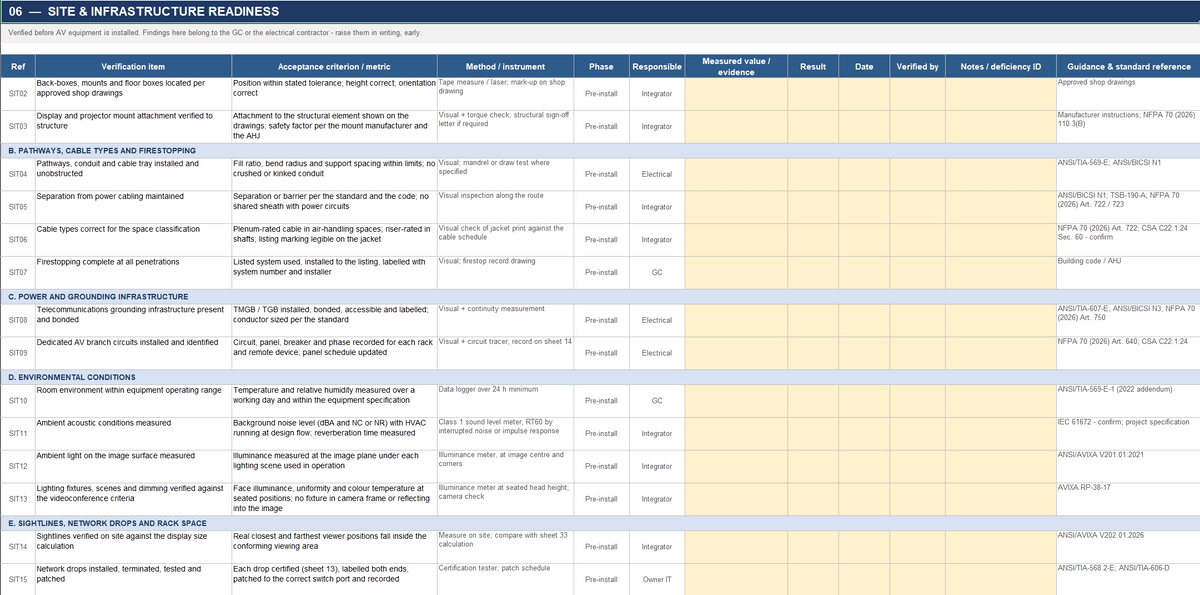
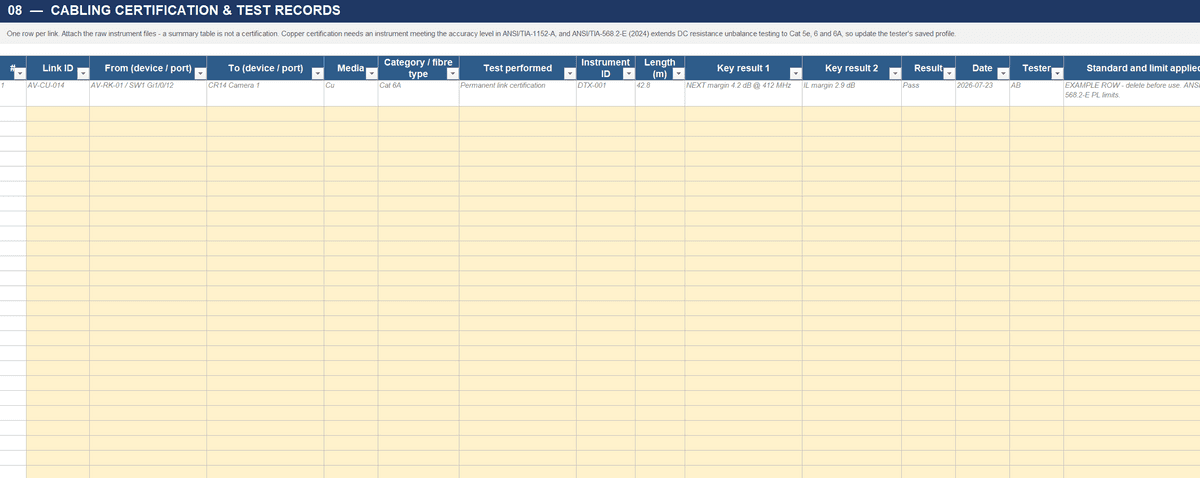
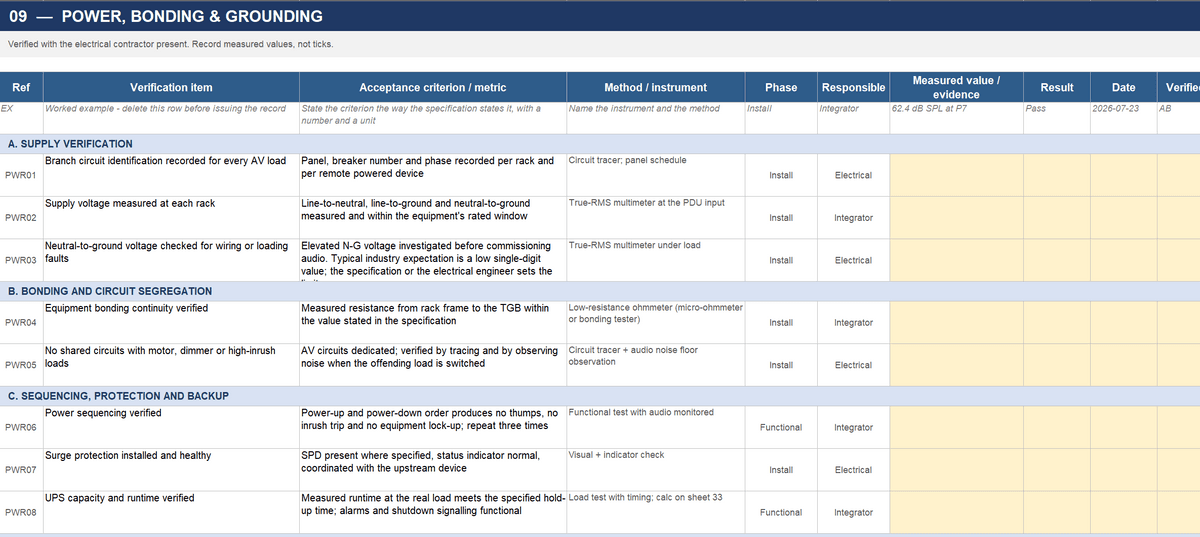
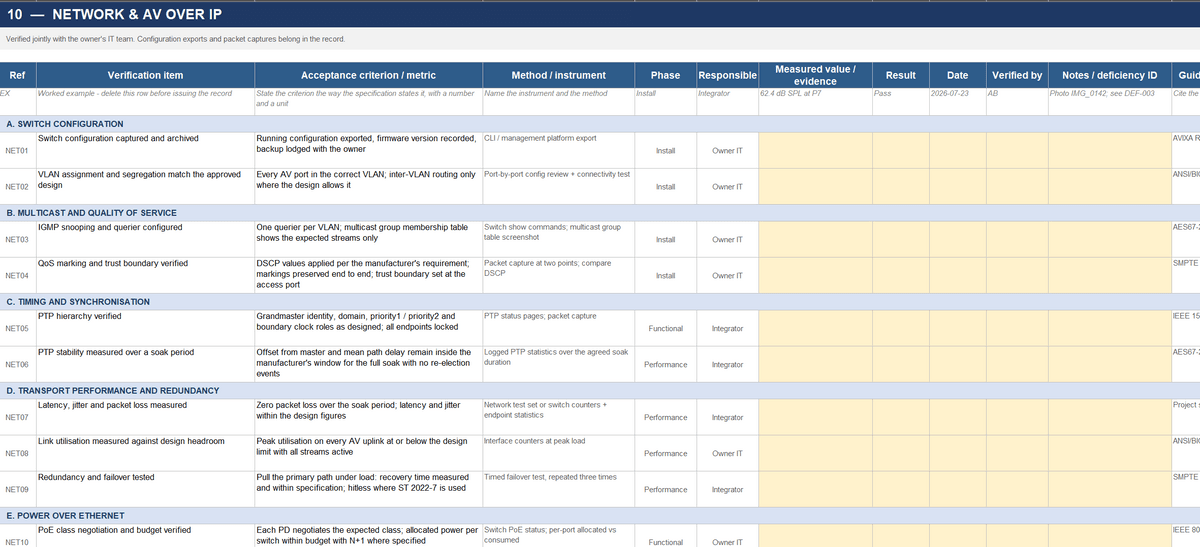
21 sheets covering design and submittal review, site and infrastructure, rack fabrication QA, cabling test records, power and grounding, AV-over-IP, video and audio performance, control, conferencing, environmental and safety.
Every line carries an acceptance criterion, a test method and instrument, the phase, who's responsible, the measured value, the evidence and the result. A dashboard rolls it into pass / fail / deferred and percent complete. Plus a deficiency log, calibration register and formal sign-off.
This is the difference between "we tested it" and a document a client's consultant can audit.
WHAT CHANGES ABOUT YOUR WEEK
Half a day sizing a room in spreadsheets → minutes, with the drawing and the report
"That's about right from experience" → a figure traceable to a named standard
Bidding on instinct → a scored decision, and the cost of each weakness
Handover by email and goodwill → signed acceptance against defined criteria
Numbers scattered across files → one project, every tool saving into it
A junior can't check your work → anyone can follow the basis
THE DETAILS
⚙️ Calculations reference ANSI/AVIXA V202.01 (DISCAS), V201.01 (ISCR), A102.01, IEC 62676-4 (DORI), ITU-R BS.775-3, NEC Chapter 9, EIA-310-E and ASHRAE. Exported reports include a matrix showing which standard was applied where.
📐 Metric or imperial throughout, switched any time without changing the design.
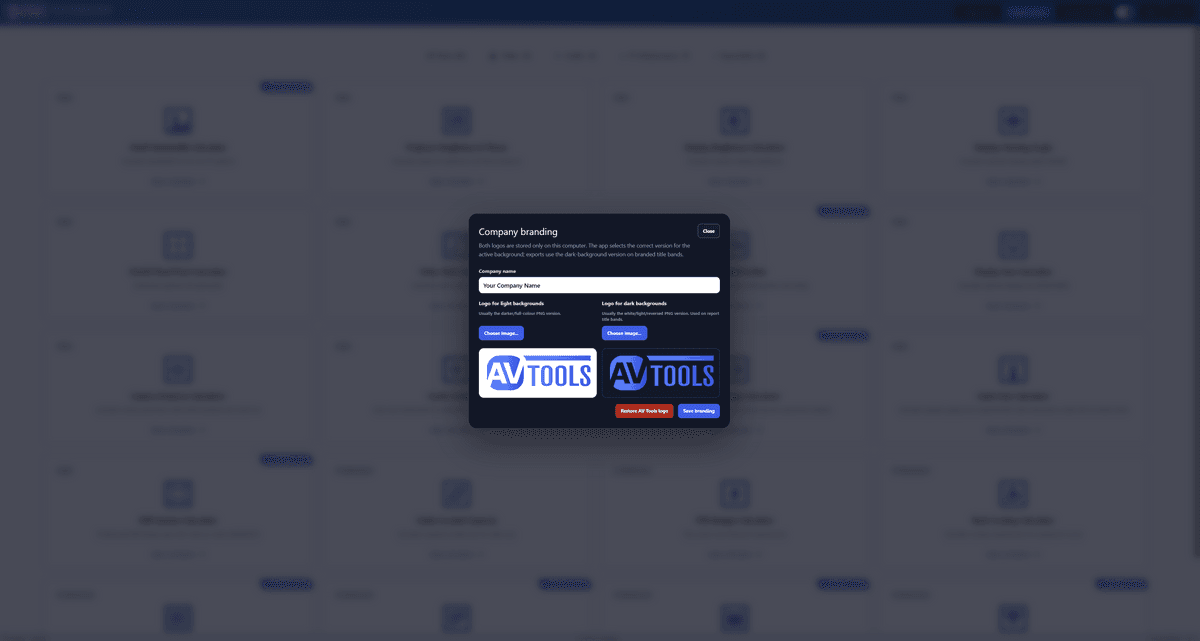
🏷️ Your logo and company name on every report.
✈️ Works fully offline — on site, in a plant room, on a plane.
🔑 One-time purchase. Permanent licence, moveable between computers when you change machines. No subscription, no seat renewals, nothing held back for a higher tier.
AFTER PURCHASE
You'll receive the Windows installer, both Excel workbooks, and your licence key will be sent to your email used in the purchase.
Note: the Bid & Win tool uses macros. If Excel shows a yellow "macros blocked" banner, right-click the file → Properties → tick Unblock. Takes five seconds.
$395
$395