
LTX 2.3 MultiCam V2V — Auto-Stitch Workflow ($1)
$1
4 personnes ont acheté ceci
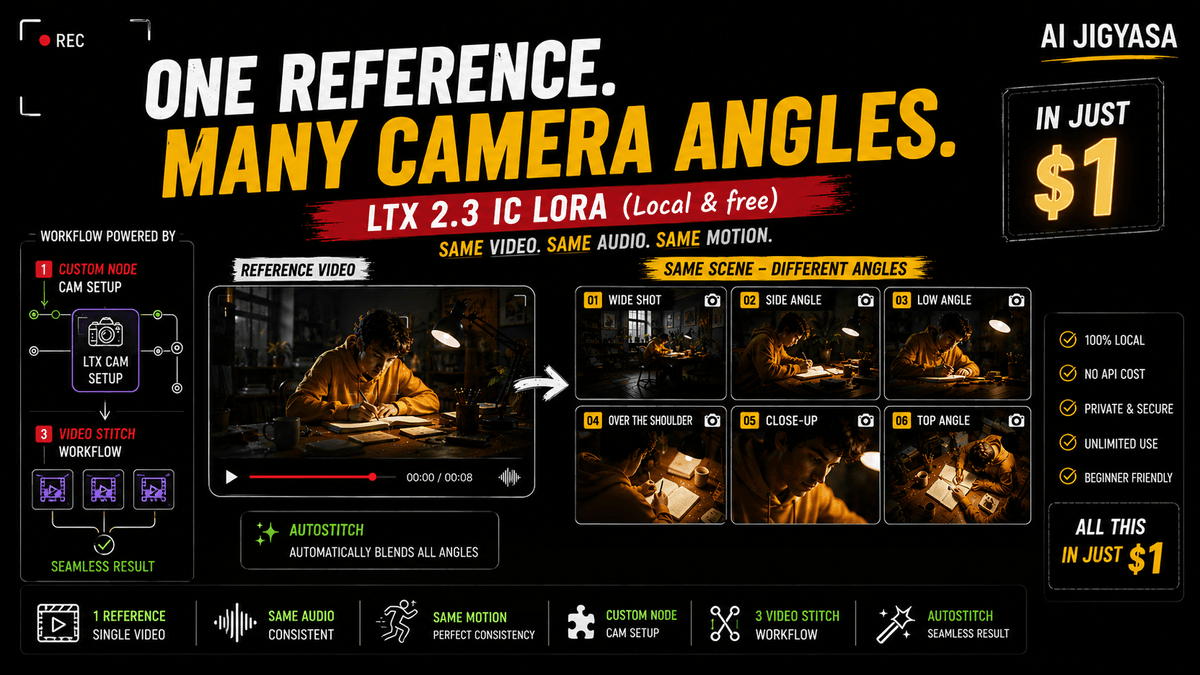
Turn any AI video into a multi-camera cinematic production — same dialogue, same motion, same gestures, shot from a completely different angle. This is the paid version of the free CrossView workflow shown in the tutorial, packed with 3 exclusive upgrades that make multi-cam AI video production actually practical.
What's included:
🔹 Auto-Stitch Feature — Automatically stitches your multi-angle videos together into one seamless output. No manual editing, no timeline work, just generate and combine.
🔹 Custom Camera Position Node — A dedicated ComfyUI node that lets you select your camera angle visually — no need to manually type CrossView prompts every time. Pick your angle, hit generate.
🔹 3-Video Stitch Workflow — Generate and combine 3 different camera angles of the same scene in one workflow run. Perfect for cinematic cuts, dialogue scenes, and multi-shot storytelling.
What you need:
ComfyUI installed
For Custom Node- Unzip it and drop the folder into ComfyUI/custom_nodes/ and restart — that's it.
CrossView IC-LoRA by Cseti (free — link in the YouTube video)
LTX 2.3 base model (free — link in the YouTube video)
Who is this for:
AI filmmakers who want cinematic multi-cam output
Creators making dialogue scenes, podcast-style videos, or action sequences
Anyone who watched the free tutorial and wants the faster, cleaner version
⚡ For just $1 you get a workflow that saves hours of manual stitching and prompt writing.
🎬 Watch the full tutorial first to understand the workflow — then grab this to take it further.
$1
4 personnes ont acheté ceci
Saisissez un prix raisonnable
$
$1